


Inspiring
December 21, 2024
Question

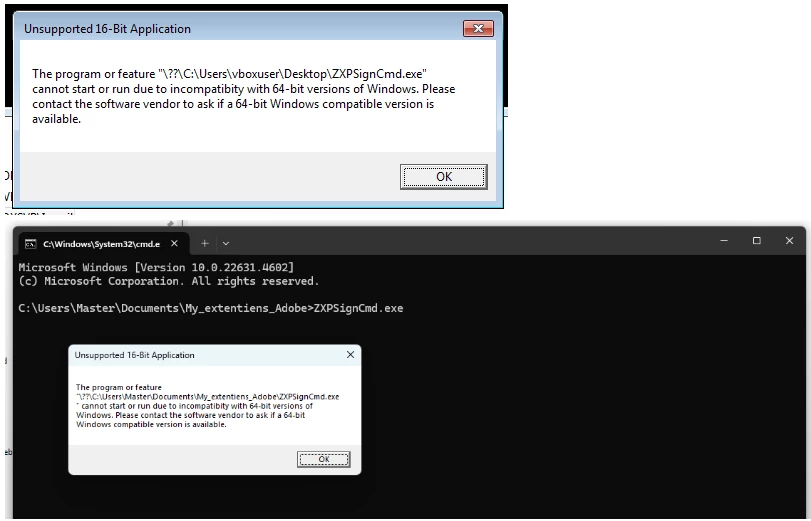
When I try to run ZXPSignCmd.exe on my 64-bit Windows system, Unsupported 16-Bit Application

  • December 21, 2024
  • 1 reply
  • 555 views

An error message appears indicating incompatibility with 64-bit Windows systems.

  • Operating System: [ Windows 7, 10 and 11 ]
  • Software Version: [ 4.1.103 - 4.1.1 ]

Unsupported 16-Bit Application

The program or feature "??\C:\Users\Master\Documents\My_extentiens_Adobe\ZXPSignCmd.exe" cannot start or run due to incompatibity with 64-bit versions of Windows. Please contact the software vendor to ask if a 64-bit Windows compatible version is available.
 

Thank you 


This topic has been closed for replies.

1 reply

Community Expert
December 22, 2024

Verify that you are using the 64 bit vesion of the tool. You can download it from the following link

https://github.com/Adobe-CEP/CEP-Resources/tree/master/ZXPSignCMD

-Manan

-Manan
Inspiring
December 22, 2024

Thank you Manan,

Yes, I've tested all available versions, both 32-bit and 64-bit, on Windows 11, Windows 10, and Windows 7 (using a virtual machine).

Unfortunately, the same message appears consistently across all setups.

Community Expert
December 27, 2024

I don't have access to a WIN machine to test this personally. @ErinF and ideas what could be wrong here?

-Manan

-Manan