
Participating Frequently
Jun 22, 2021 11:44 PM UTC
Question

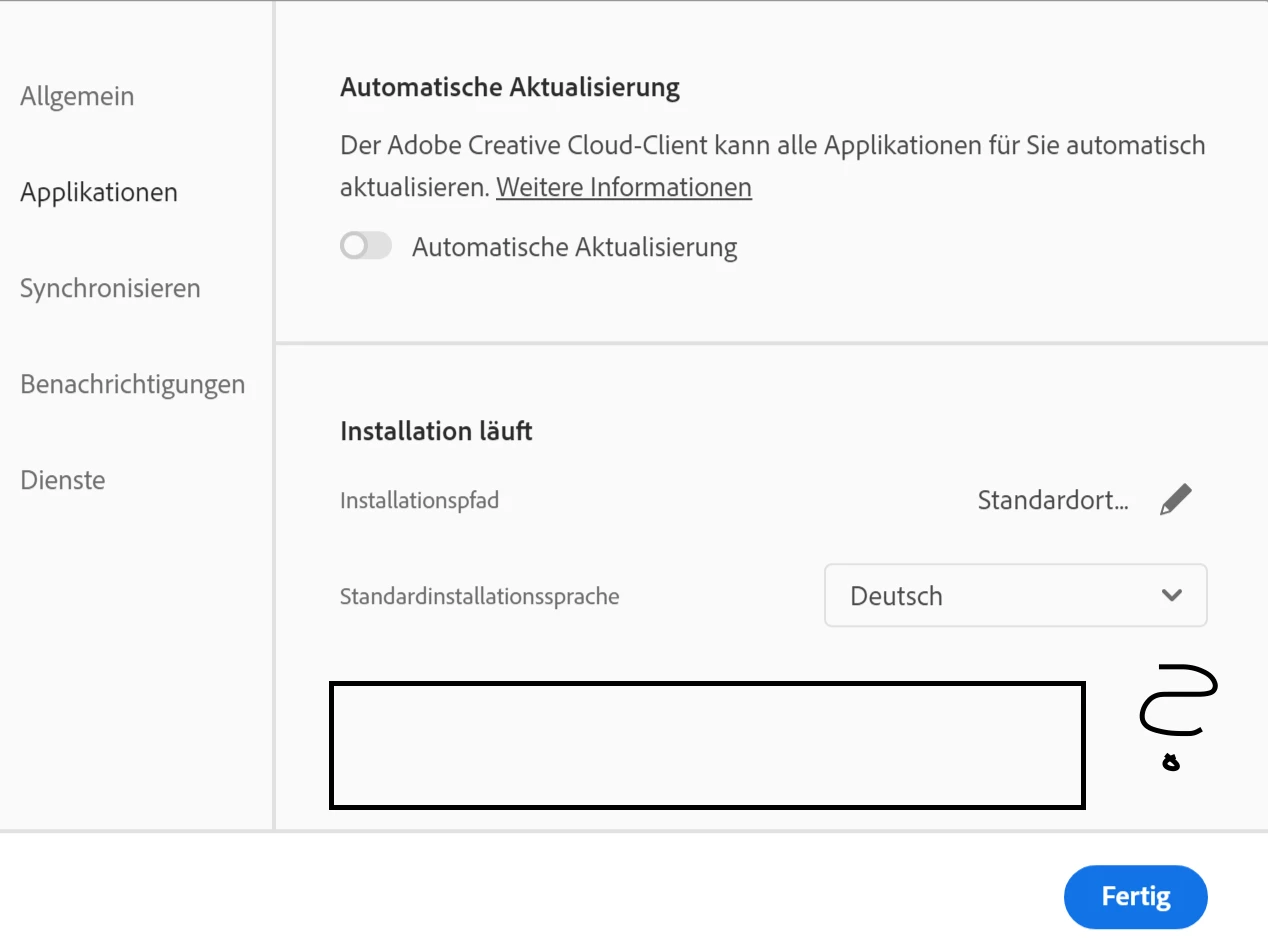
Don't see "Show Older Apps"

Hey Guys!


I use Windows 10 and the Creative Cloud App Version 5.4.5.550. 


I no longer see the "Show Older Apps" item in my settings under Apps, so I can no longer install Fireworks. Does anyone have any idea how I can get to Fireworks now?

Thanks for the help!
Kind regards
Tyler

    This topic is closed to new replies. Start a new post to keep the conversation going.

    10 replies

    Legend
    Jun 23, 2021 5:27 PM UTC

    You might need to scroll down a bit in the window

    Translate
    Paul-M - Community Expert
    Participating Frequently
    Jun 23, 2021 7:33 PM UTC

    I can't scroll down. 😞

    Translate
    Nancy OShea
    Community Expert
    Community Expert
    Jun 23, 2021 12:31 AM UTC

    Teams/Enterprise plan users must contact your IT dept and request a special Fireworks package.   Depending on your organization's internal policies, they may or may not give it to you because Fireworks is discontinued and not supported.


    Translate
    Nancy O'Shea— Product User & Community Expert
    Participating Frequently
    Jun 23, 2021 7:28 PM UTC

    It's not a company computer. It's my own.

    Translate
    Nancy OShea
    Community Expert
    Community Expert
    Jun 23, 2021 7:52 PM UTC

    Are you logged-in to an individual ALL APPS plan?


    Translate
    Nancy O'Shea— Product User & Community Expert
    Participating Frequently
    Jun 23, 2021 12:02 AM UTC

    I have Creative Cloud All Apps plan.

    Translate
    Nancy OShea
    Community Expert
    Community Expert
    Jun 23, 2021 12:34 AM UTC

    Translate
    Nancy O'Shea— Product User & Community Expert