


Fireworks Crop Sizing Function Missing
- 2 replies
- 339 views
- Translate
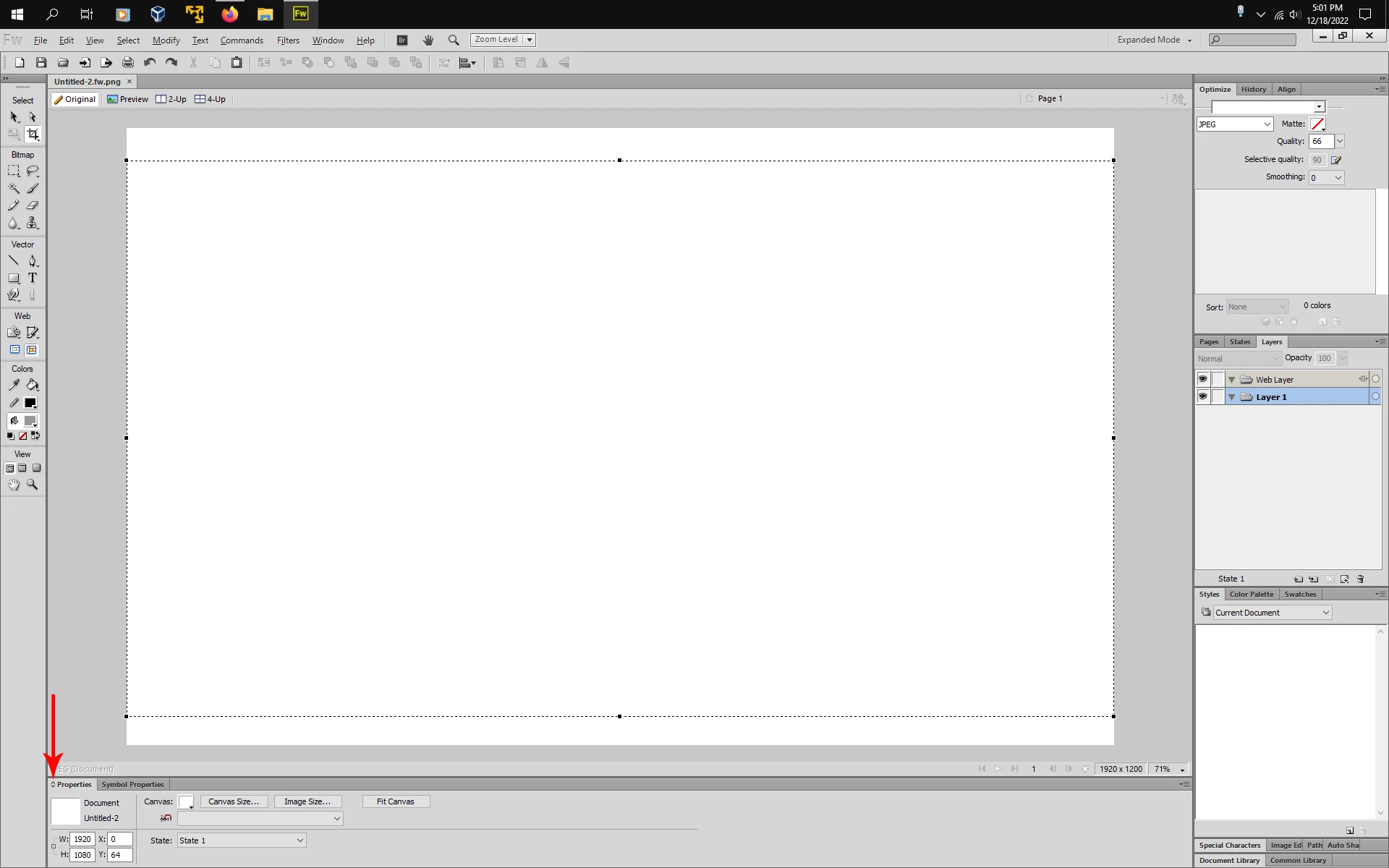
I have been using Fireworks to crop down images forever, but I am having some issues now. I used to open an image I wanted to crop and draw a square over it. I used to be able to put sizes in for that square and then move it around on the canvas to get the pieces of the image I wanted before cutting it down to size.
That functionality seems to be missing. I can still draw a square on my canvas, but now there seems to be no way to specifiy the size of that square before cropping it.
My primary use of this was to crop larger photos that I need to fit into specificied space. For example, if I had a spot that needed 1920 x 900 sized photo I could take a much larger image and lay the crop square over the image and set the size to 1920 x 900 and move it around to get the best view and hit the crop button and end up with an image that exact size. This worked great, but now there seems to be now way to specify that crop size. Please see the screen grab. I drew a red box around where the size specifications used to be, but no longer appear there.

 AdChoices