


Pasted PNG files from internet no longer transparent?
Hi, I've been using Fireworks for a while now (yes, I know it's technically "dead" but I find it easier to use than Photoshop) and am having a new problem.
Normally I have been able to paste PNG files with transparent backgrounds (like this)
into my layer and until yesterday, the background has been transparent.
Now when I try to paste copied pngs, this happens...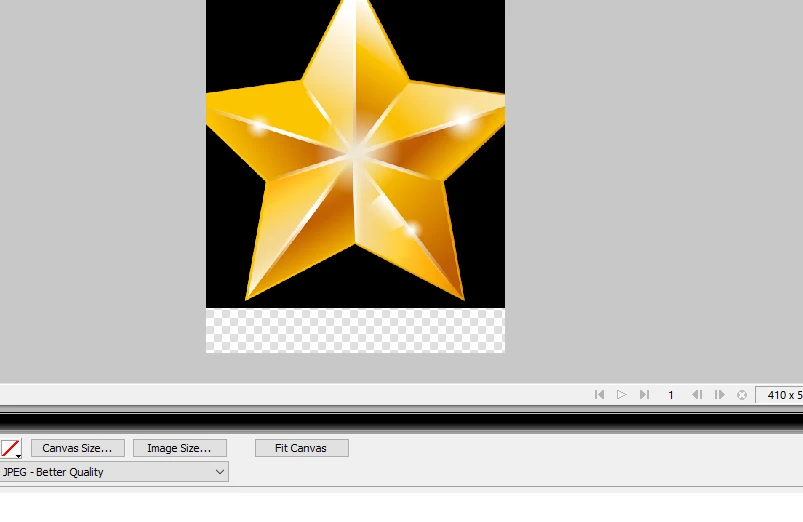
The background becomes black rather than transparent! I am forced now to use the magic wand tool to eliminate the black background, which, on complex PNGs, is hard to do (and unneeded especially since the original file I pasted has a transparent background!).
I've been using the program for over ten years and this is not happened before. There must have been some kind of setting I accidentally checked or changed that caused this. Any assistance would be appreciated. I have tried hundreds of PNG files and even reinstalled the program, and nothing iw working. Thanks!
 AdChoices