


Known Participant
July 14, 2024
Question

The trial version disaster for those of us with fireworks (and never had a serial number) - update

  • July 14, 2024
  • 2 replies
  • 1002 views

So as you will know if you have used fireworks for years - as an 'older app' - and have no interest in using anything else as it does the job, something happened and when we have to download fireworks it is no longer as before- as in, it runs fine even if you switch to a new laptop and have to start again etc We didnt have a serial number as it was part of the suite. Its the only app I ever used in the suite / creative cloud all apps. But something changed - and when we end up with the 'free trial' download option of course we can't then do anything. We never had a serial number. 

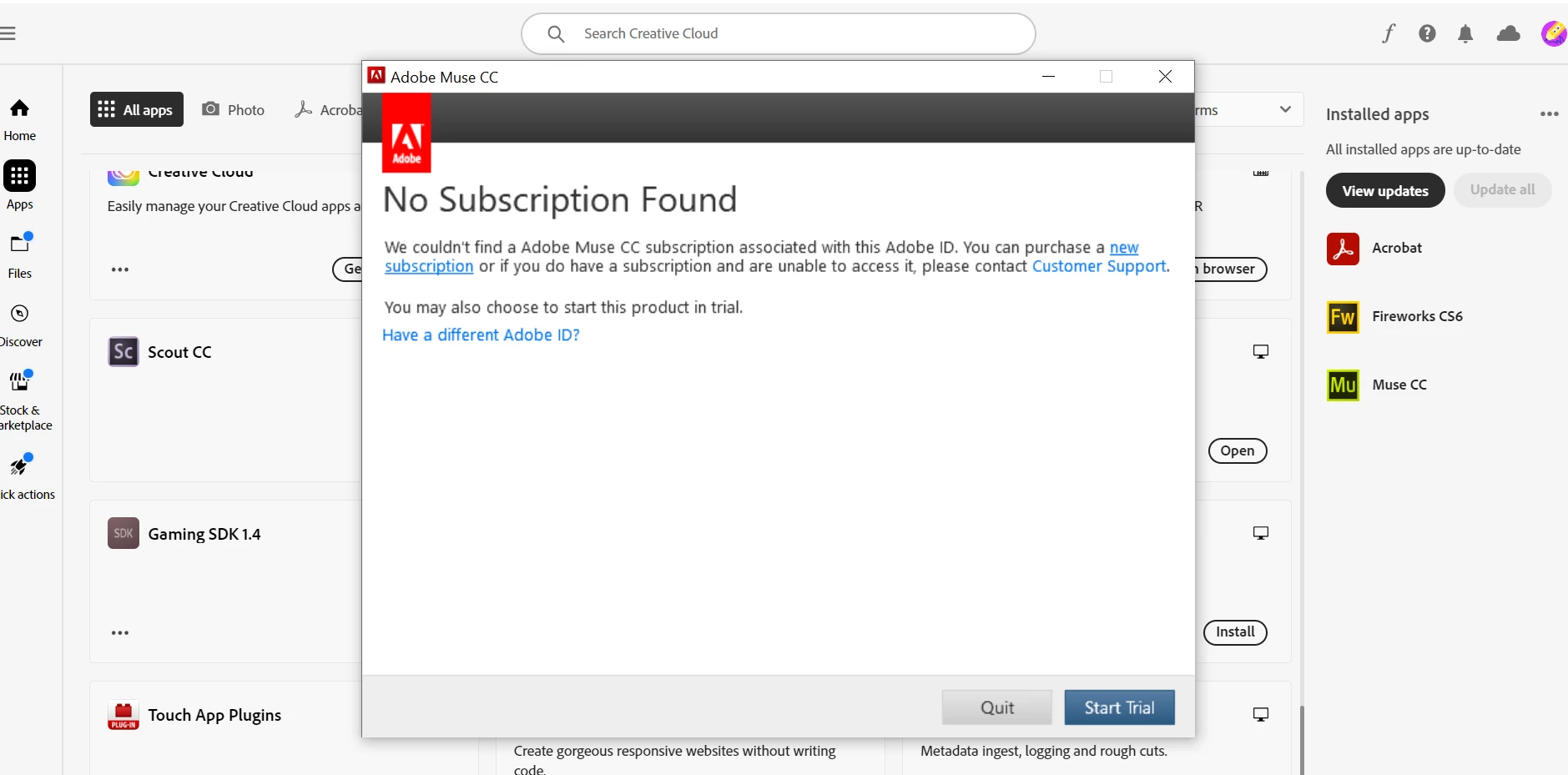
Adobe recently told me to download Muse from my creative cloud account - which I did - and got the same thing. A trial version. And no option to buy or use past the 7 day trial. 

So why would I not have access to Muse either? 

You can see screen shot of what I see when I open it - and I am logged into creative cloud. 

There must be a way to stop the trial version process - which is the issue. I am no techie - and why I like to stick with apps that are fit for MY purpose- regardless of whether they are ever updated. Ive used it for over a decade. I have been happy to pay for the suite - only using fireworks.

So anyone know how to stop the trial version - or how to explain it to Adobe customer support so they can take remote access and do it?

Or know why I cant use Muse? Is that discontinued too? 


This topic has been closed for replies.

2 replies

Nancy OShea
Community Expert
Community Expert
July 14, 2024
  • Fireworks and Muse from 2012 are way beyond their shelf-life. 
  • Even with a paid Creative Cloud ALL Apps plan, there's no guarantee of success with discontinued products.
  • You use at your own risk.


1. Hit the 'Start Trial' button and log-in with your paid CC ID and password.


1. Open CC Desktop App.
2. Click your Avatar (top right image) > Preferences > General tab > Settings. Select "Always keep Creative Cloud up to date."
3. Click on your Avatar again.
4. Sign-out of Creative Cloud.
5. Close all apps.
6. Restart your computer.
7. Open CC Desktop app.
8. Click your Avatar.
9. Sign-in with your paid ID and password.


Nancy O'Shea— Product User & Community Expert
Known Participant
July 14, 2024

Do you think if we could login with our paid CC ID and password we would be facing this issue? 

Nancy OShea
Community Expert
Community Expert
July 14, 2024

If you can't log-in to Creative Cloud, are you sure you have an active plan?

Try logging-in below to confirm your status.

https://account.adobe.com/plans


Nancy O'Shea— Product User & Community Expert
BobLevine
Community Expert
Community Expert
July 14, 2024

Muse is dead and so is Fireworks. None of this has anything to do with InDesign.

Known Participant
July 14, 2024

I didnt mention InDesign. I had opted to post about installations. If this is in the wrong forum I will post elsewhere.  

FYI Adobe customer support sent me a couple of days ago,  and why I have posted.