


SC_Duzon
Participant
December 30, 2015
Respondido

20.0.0.267 make white screen on MFC ActiveX control and C# form.

  • December 30, 2015
  • 4 respostas
  • 1328 Visualizações

We have a problem on the latest version of Flash player, 20.0.0.267.

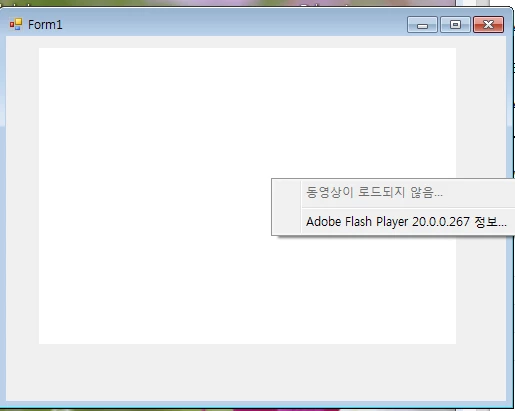
1. The program(made by MFC ActiveX control or C# form) worked on prior versions(until 20.0.0.228), but after updated to 20.0.0.267, it doesn't work at all. Just a white screen.

   When right-clicked, there was a message, "Movie not loaded".

2. We guided our Customers (using Windows7 and under) to roll back to Flash player ver. 20.0.0.228. But, Windows 8 and Windows 10 users are not able to roll back.


3. This problem caused enormous damages to the company. and our customers are waiting for answers.

   We need the answers for our customers, As soon as possible. Will you please answer us?

   Is roll-back to ver. 20.0.0.228 safe?

   Is there any way to make it run?

   If there is an answer, Please let us know.

Thank you.

* If needed, Please contact us.

Phone number : +82 10-8447-5125 / +82 2-6233-5886

e-mail : sonook@duzon.com

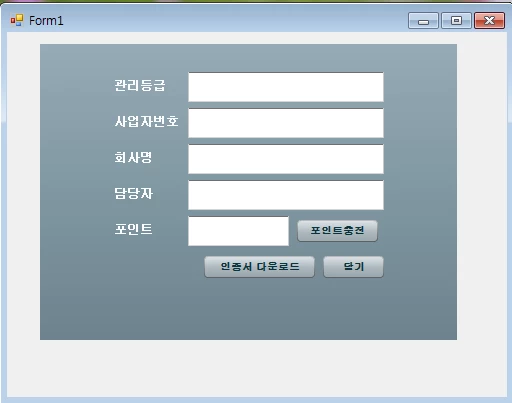
< On 20.0.0.228> - it works! but.....
< On 20.0.0.267> - it doesn't work!
Este tópico foi fechado para respostas.
Melhor resposta por Kratika Agarwal

Hi,

Please update your Flash Player to 20.0.0.270.

https://get.adobe.com/flashplayer/


Issue is fixed.


Thanks

4 Respostas

Participating Frequently
January 2, 2016

Hi,

Please update your Flash Player to 20.0.0.270.

https://get.adobe.com/flashplayer/


Issue is fixed.


Thanks

Carm01
Legend
January 1, 2016

IF you need to roll back you can check out my guide, its a little lengthy as I made it so noob users should be able to understand about the different trypes of flash player, etc.., but if you are savvy you can skim through it to get the relevant information. there is really only two steps if you don't count downloading and unpacking the zip from adobe

Guide to rolling back to an old flash player version (20.0.0.228)

Best regards

Participating Frequently
January 6, 2016

Hi,

Microsoft pushed a patch out to Windows 10 users this morning.  Please run Windows Update and see if that resolves the issue for you.

Thanks

Participating Frequently
January 1, 2016

Hi,

Please refer to below link for the updates:

Re: Flash Player 20.0.0.267 - ActiveX Embedding Issue

Thanks

SC_Duzon
Participant
December 30, 2015

This problem is connected to the Bug Report 4103245(Bug#4103235 - Black Screen on launch of pc desktop flash programs)

Participating Frequently
December 30, 2015

Hi,

Thanks for reporting the issue. We are looking into the bug.We will update you son.