


StormwolfKy
Participant
April 9, 2016
Question

21.0.0.213 in Chrome only shows "Couldn't load plugin".

  • April 9, 2016
  • 2 replies
  • 1057 views

About 3 hours ago, I uninstalled Chrome Dev Channel and then downloaded Chrome Stable Channel, thinking the problem was with the Dev channel. However, the issue seems to be with this latest Adobe update. Yes, I enabled flash via about:plugin, but every time I go to a page that requires Flash, I get this:
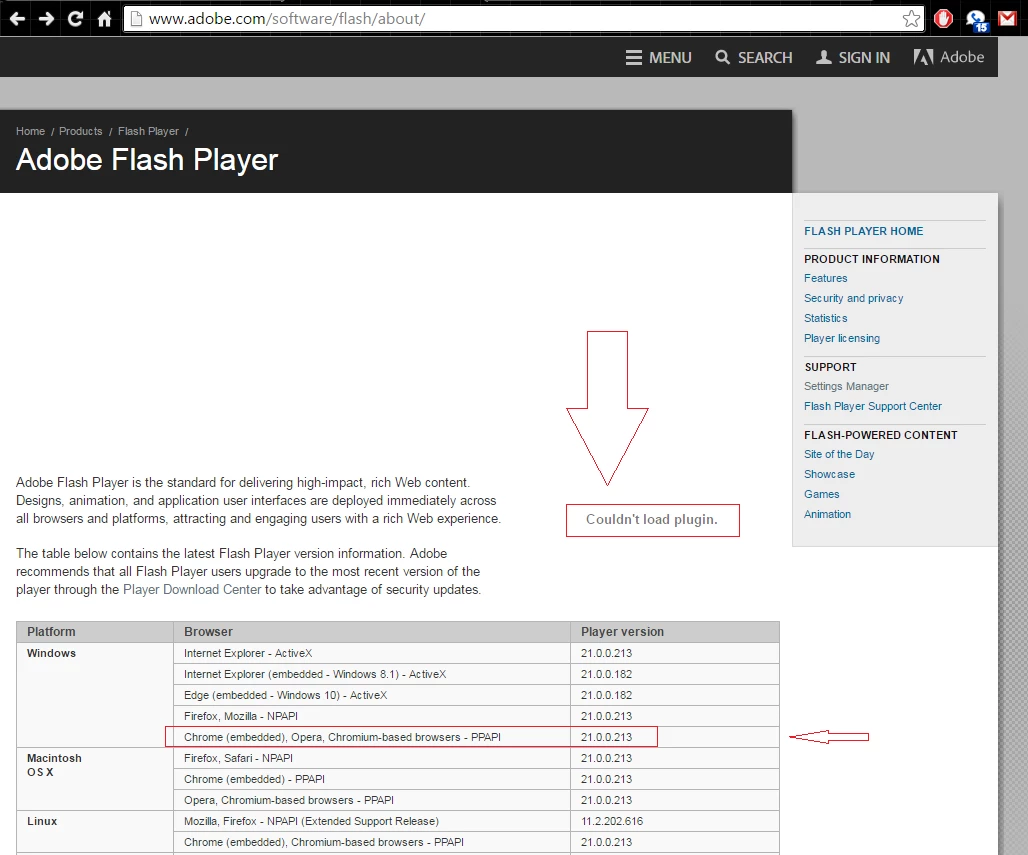
This same message shows on every game or site that requires Flash, and worked just fine yesterday.

I am on W7 64 bit, and Chrome is Version 49.0.2623.112 m. Newest version of Flash works fine on literally every other browser I have...Opera, Firefox, SeaMonkey, Avant, IE (shudder) and Vivaldi. It just refuses to work on Chrome now. Could this be because they pushed the update out too fast?

This topic has been closed for replies.

2 replies

StormwolfKy
Participant
April 11, 2016

After 4 failed full uninstall and re-installs of Chrome stable channel (m), I went back to the Dev channel -Version 51.0.2700.0 dev-m (64-bit)-, and it works just fine now. To test this, I then uninstalled Dev Channel and re-installed stable channel, and again the Flash plug in refused to load. So, back to Dev Channel, and it's working fine...and is at 21.0.0.216. Stable channel refuses to load anything but 21.0.0.213, claiming this is the "current" Flash version for Chrome stable channel.

So, apparently the issue is on Chromes end.

Carm01
Legend
April 11, 2016

Couldn't load plugin - Chrome Version 49.0.2623.112 m

like i said, you could have tried that

Participating Frequently
April 9, 2016

chrome has been updated to latest FP 21.0.0.216.Please try updating chrome.

StormwolfKy
Participant
April 9, 2016

Uhm...please read my post again? The version of Chrome that I am on is literally THE latest version. I did a full clean install yesterday, about 3 hours before posting. You cannot update Chrome manually if it says you have the latest version. You cannot update Adobe manually on Chrome. It will just tell you that you "have the latest version", because of the way it only updates when Chrome does.

Been there, tried that. All I get from the Adobe Flash download page is this:


"Your Google Chrome browser already includes Adobe® Flash® Player built-in. Google Chrome will automatically update when new versions of Flash Player are available."

From Chrome:

Version 49.0.2623.112 m

Google Chrome is up to date.

As of less than a minute ago.

So, basically what you've just said is "You will have to wait until Chrome decides to release an update, that will then update Flash".

Carm01
Legend
April 11, 2016

Not sure if this will resolve your issue but try deleting ( if it exists while Chrome is closed ) :

c:\users\%username%\AppData\Local\Google\Chrome\User Data\PepperFlash

That is the Pepper flash old files. Delete the folder 'PepperFlash'

Like I said not sure if it will work!