


23.0.0.162 installer crashes on Windows 7
Hi
I'm trying to publish the new version over our LAN, and am following my normal procedures...
- download the exe installers and uninstaller
- run the uninstaller silently with the -uninstall switch
- run the installers silently with the -install switch.
I've downloaded the latest exe installers (and uninstaller).
- exe installers from here: https://www.adobe.com/products/flashplayer/distribution4.html?auth=[redacted]
- uninstaller from here: https://fpdownload.macromedia.com/get/flashplayer/current/support/uninstall_flash_player.exe
However, the uninstaller and installers crash when I try to run them (example here is the uninstaller):
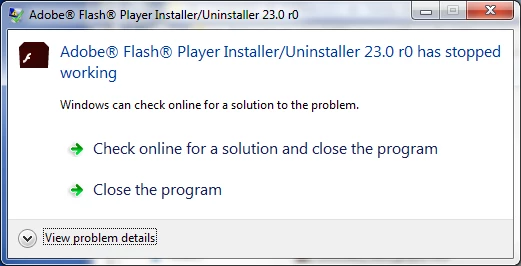
The text in the error:
Problem signature:
Problem Event Name: APPCRASH
Application Name: uninstall_flash_player.exe
Application Version: 23.0.0.162
Application Timestamp: 57c4cc94
Fault Module Name: KERNELBASE.dll
Fault Module Version: 6.1.7601.23392
Fault Module Timestamp: 56eb2fb9
Exception Code: c000008f
Exception Offset: 0000845d
OS Version: 6.1.7601.2.1.0.256.48
Locale ID: 2057
Additional Information 1: 0a9e
Additional Information 2: 0a9e372d3b4ad19135b953a78882e789
Additional Information 3: 0a9e
Additional Information 4: 0a9e372d3b4ad19135b953a78882e789
I'm running this on Windows 7 PCs (32 bit). The previous version - 22.0.0.209/210 - still works fine (no errors).
I've found that if I manually remove all Flash player files from a PC (ie %systemroot%\system32\macromed, and %appdata%\Adobe\Flash Player, and %appdata%\Macromedia\Flash Player), then the first run of either installer, or the uninstaller, seems to run OK. However, subsequent attempts to run any of the files, or to view Flash in IE, all crash out with an identical AppCrash error to the one above.
Anything else I can try?
Thanks!


 AdChoices