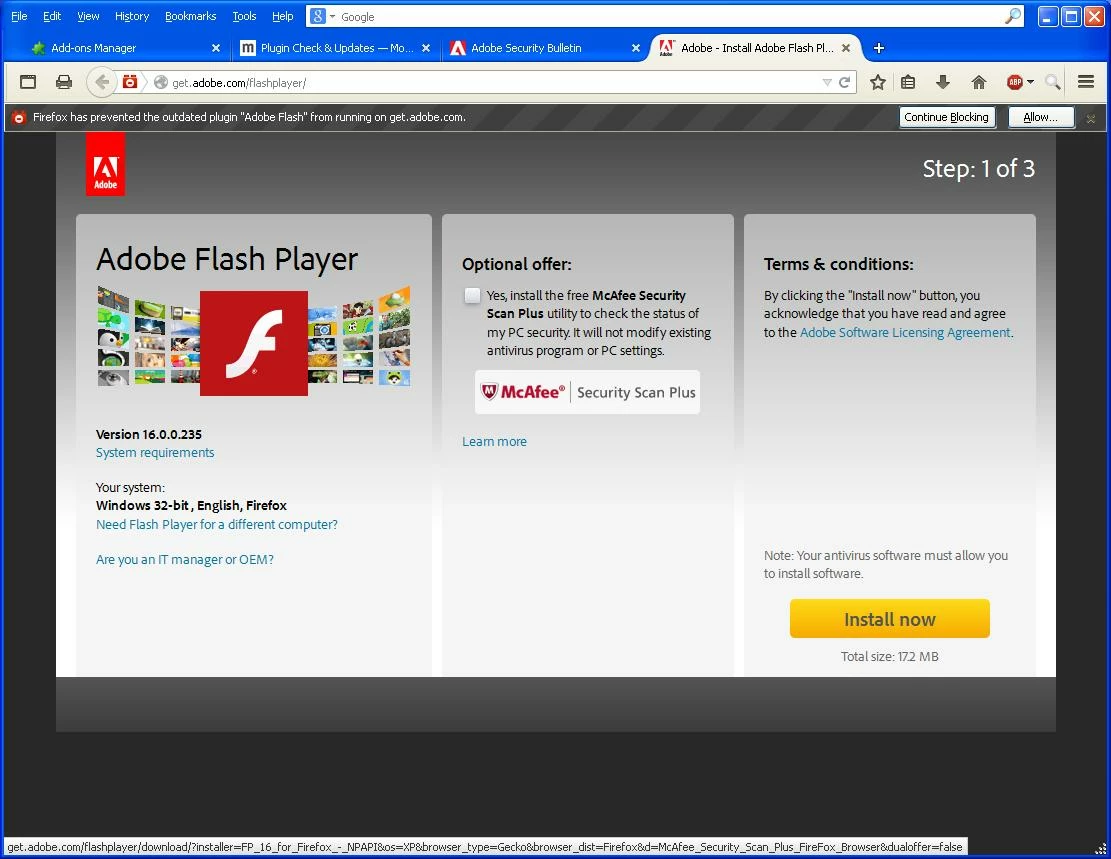
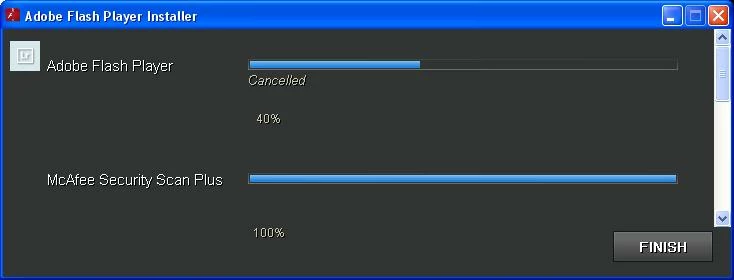
Thanks for taking the time to put this together. Flash Player is tremendously expensive to develop, distribute and maintain, and Adobe provides bundled offers in the distribution process as part of a cost-recovery effort for products that we offer free of charge. That said, the opt-out dialog is intended to work consistently, and the workflows are tested extensively before and after they're deployed with each release. If the installers are not working correctly, I'm definitely interested in collecting evidence and escalating that to the appropriate team to effect a speedy resolution.
Alternatively, if you would like to avoid the entire Flash Player installation workflow, that's possible today. Flash Player is a built-in component of both Google Chrome and Internet Explorer on Windows 8 and higher. For Chrome, all Flash Player updates are handled transparently through Chrome's update mechanism. For Internet Explorer, updates are pushed out automatically through Windows Update.
As you've noticed, Adobe also does not offer free technical support for free products. I actually work on the product. I'm also on vacation (Adobe's US offices are closed for the next two weeks), and am providing this assistance on my own time. Adobe is a huge company, and it can be difficult to cut through the noise and get the right person's attention. Please understand that I genuinely do care about the product and the people that use it, and would like to help you get this issue resolved.
I spent a bunch of time testing out the various installer workflows on a clean WinXP machine. I noticed that you had AdBlock Pro installed, so I tried with a current version of AdBlock pro as well. I'm still not able to reproduce the issue that you're describing. I was wondering if maybe you had missed the opt-out dialog once, and that there was a bug where we might not clear that preference on subsequent opt-outs, but I tested that scenario as well and it's working fine. It's worth noting that I tested this on a hosted WinXP instance from a third-party vendor. This is not coming from inside Adobe's network, so there's no potential for the problem to be masked by virtue of where the traffic comes from.
I recorded a video of the testing. If the workflow that you're using varies from mine, please let me know what I'm missing:
Shared Files - Acrobat.com
What we've found in the past that that these issues are typically self-inflicted, and are typically caused by ad-blocking or anti-tracking technology that modifies how the code on the download page is written to run. While we don't really have any objection to using those tools (and we've modified the website to accommodate some of them in the past), it's not a workflow that we test -- particularly when multiple tools are used in tandem. At that point, you're not running our code anymore.
If I can get to a place where this reproduces for me, it's very easy to escalate the issue and get it fixed quickly. The main problem -- and the reason that this complaint hasn't received any visible traction (my staff and I investigate this frequently) -- is that we've been unable to identify a specific scenario where this reproduces. I'm not aware of anyone having seen this reproduce.
1.) What version of Firefox are you using? I tested against the current version (34.0.5). The Extended Support release is at Firefox 31.x at this point. If you're not on either, that may be part of the unintended result. I'd encourage you to update.
2.) What plug-ins and extensions are you using? I'd like to mirror your configuration. You can get a comprehensive list by copying the info from Firefox's about:support and about:plugins pages. If your versions of those plugins are out of date, that might also be interesting. We'd encourage you to update those as well.
3.) Are you using anything else that might modify the content or code coming from the Adobe website? Maybe a security-oriented software firewall from an obscure vendor or something?
Thanks!
 AdChoices