


chado28380273
Participant
December 14, 2017
Question

Adobe Flash Player: Connection Error

  • December 14, 2017
  • 1 reply
  • 2396 views

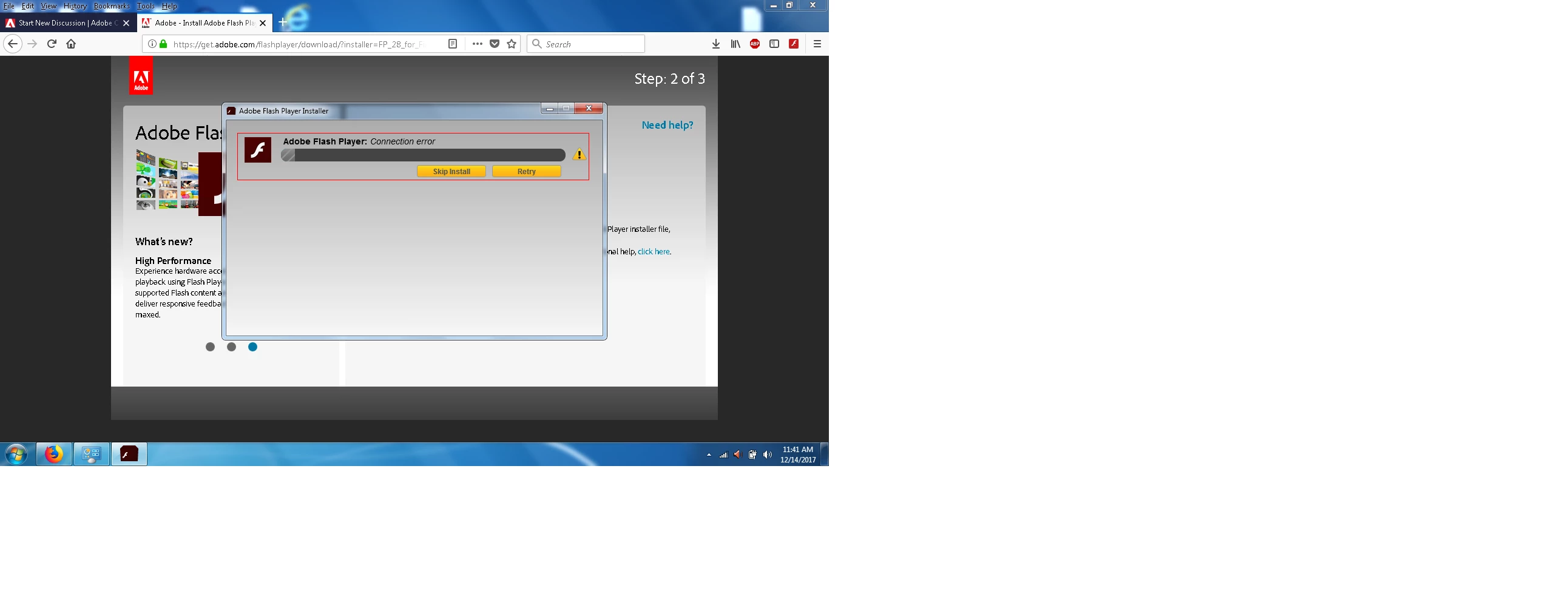
Hi, I'm trying to install the latest version of Adobe Flash player. The download only reaches a 5% download, and then it immediately cancels with the following error message: "Connection Error"

This error has occurred on all browsers that I have used: Explorer, Firefox, Chrome... It is an occurrence that has taken place over the last 2-3 months.

System: Windows 7 Home Premium Service Pack 1 64-bit.

Current Browsers that I use: Firefox Quantum 57.0.2. And Internet Explorer 11

More info: I use Zone Alarm. I've tried installing the flash player with zone alarm turned off... still unsuccessful. Also, there is no antivirus currently installed.

Old versions of Adobe flash player are currently uninstalled. I uninstalled old versions of the flash player as a LAST resort.

Also, I cannot find a straight forward link that takes me to a download page where I can download an offline flash installation.
This topic has been closed for replies.

1 reply

_maria_
Legend
December 14, 2017

I'll need to get the installation log files from you to troubleshoot the error.  Please review the FAQ Where do I find the Flash Player installation log on Windows? and the Adobe_ADM.log and Adobe_GDE.log files.  Upload the files to cloud.acrobat.com/send using the instructions at How to share a document and post the link to the uploaded files in your reply.


The offline installer posted at the bottom of the Installation problems | Flash Player | Windows 7 and earlier page in the 'Still having problems' section, however, without the installation log files we can't troubleshoot why the connection error is occurring. Please do provide those.

chado28380273
Participant
December 17, 2017
_maria_
Legend
December 18, 2017

Thank you.  I'm not familiar with the error in the log file and have forwarded the file to the online installer team for further investigation.