October 13, 2016
Question

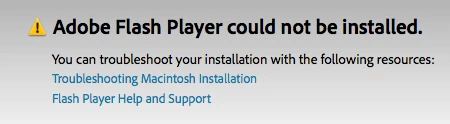
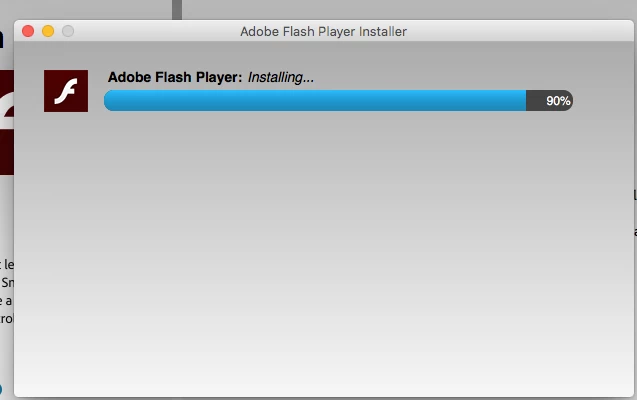
Adobe flash player install fails at 90%

  • October 13, 2016
  • 2 replies
  • 2653 views

I have Safari Mac OSX 10.11. Adobe flash install fails at 90%. I've tried all recommended solutions provided in the troubleshooting, including the uninstall. This is the first time downloading Adobe to this computer.
This topic has been closed for replies.

2 replies

October 26, 2016

Shared Files - Acrobat.com

Here is my link. 

Please help I've been working on this so long and I have no idea what else to do.  Any help would be much appreciated.

_maria_
Legend
October 27, 2016

Hi mitchw66349717 ,

You're issue is the same as what's being reported on this topic. The specific error is:

Oct 25 17:33:22 Connies-MacBook-Pro installd[326]: PackageKit: Install Failed: Error Domain=NSPOSIXErrorDomain Code=1 "Operation not permitted" UserInfo={NSFilePath=/private/tmp/PKInstallSandbox.XXXXXX} {

      NSFilePath = "/private/tmp/PKInstallSandbox.XXXXXX";

  }

Oct 25 17:33:22 Connies-MacBook-Pro installd[326]: PackageKit: Running idle tasks

Oct 25 17:33:22 Connies-MacBook-Pro installer[487]: install:didFailWithError:Error Domain=NSPOSIXErrorDomain Code=1 "Operation not permitted" UserInfo={NSFilePath=/private/tmp/PKInstallSandbox.XXXXXX}

This isn't Flash Player returning the error, but PackageKit and installd, which are OS utilities that are used to manage software installation.

A number of users have had luck with re-installing the OS, or upgrading to macOS Sierra, as that fixes whatever filesystem issues are on the system.  See Flash install stops at 90%  for more information.

An alternative is to contact Apple to find out why this is happening all of a sudden and inquire about a different solution.

--

Maria

rlatta1926
Participant
October 27, 2016

I went with the Mac OS Sierra upgrade and that worked

Sent from my iPad

ridhij4208356012135538
Adobe Employee
Adobe Employee
October 13, 2016

Hi,

Could you please share the Adobe_ADM.log and Adobe_GDE.log from the affected machine. To figure out how to get the logs you can go through Where do I find the Flash Player installation log on the Macintosh? To share the log files you can go through How to share a document and post a link of the uploaded files here. Also can you open your terminal and type "id". Copy paste the output over here.

Thanks!

October 14, 2016

I followed the instructions to share the log files, but no data about the Adobe Flash player is recorded after the markers. I ran the installation, it failed, and no records are added to the log

I'm not sure what you mean by "opening the terminal and typing id". Could I have more detailed instructions?

Thanks for your help!

Jen

_maria_
Legend
October 14, 2016

"but no data about the Adobe Flash player is recorded after the markers"  based on this comment I'm assuming you are referring to either the install.log of FlashPlayerInstallManager.log (or both).  However, the Adobe_ADM.log and Adobe_GDE.log files should have information in them for the failed installation attempt.  Please provide the Adobe_ADM.log and Adobe_GDE.log files.

Thank you.