


Perverse1212
Participant
July 12, 2018
Question

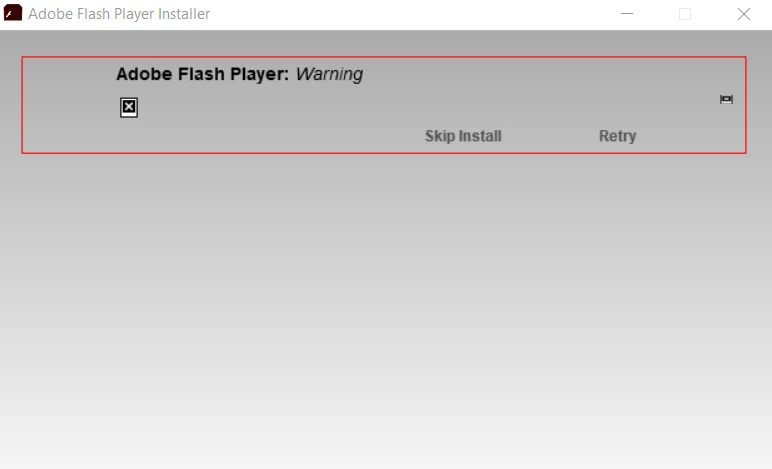
Adobe Flash Player Installer: Warning

  • July 12, 2018
  • 1 reply
  • 3215 views

So when i try and install Flash player 30 i get this message:

I am on Windows 10, no version of flash player on my computer at the moment and when i click retry it stays on connecting forever at 0%. I am installing it from the latest version of Firefox.

Once i get the installer from the browser, i open it and it asks me if i want it to automatically update and i say yes and then click next and that is there.

I used to have flash player and flash projector number 25 but uninstalled them recently.
This topic has been closed for replies.

1 reply

_maria_
Community Manager
Community Manager
July 12, 2018

Hi,

To troubleshoot, please provide the following information:

  • File name of the installer file you are using
  • log files (2) saved at C:\Users\<YourUserID>\AppData\Local\Temp\Adobe_ADMLogs
    • Upload the files to cloud.acrobat.com/send using the instructions at How to share a file using Adobe Document Cloud , or some other file sharing service of your choice that doesn't require user account to access
    • Post the link to the uploaded files in your reply

Microsoft embeds Flash Player in Edge and IE on Windows 10, and Google embeds Flash Player in Chrome.  In the interim, those are two options to use Flash Player.

--

Maria

Participant
August 23, 2018
_maria_
Community Manager
Community Manager
August 23, 2018

Please provide details on your issue so I know what I'm looking for in the log files.

OS, browser, Flash Player you're attempting to install, error, etc.