


January 22, 2016
Question

Adobe Flash Player never working on edge browser after windows 10 upgrade

  • January 22, 2016
  • 1 reply
  • 586 views

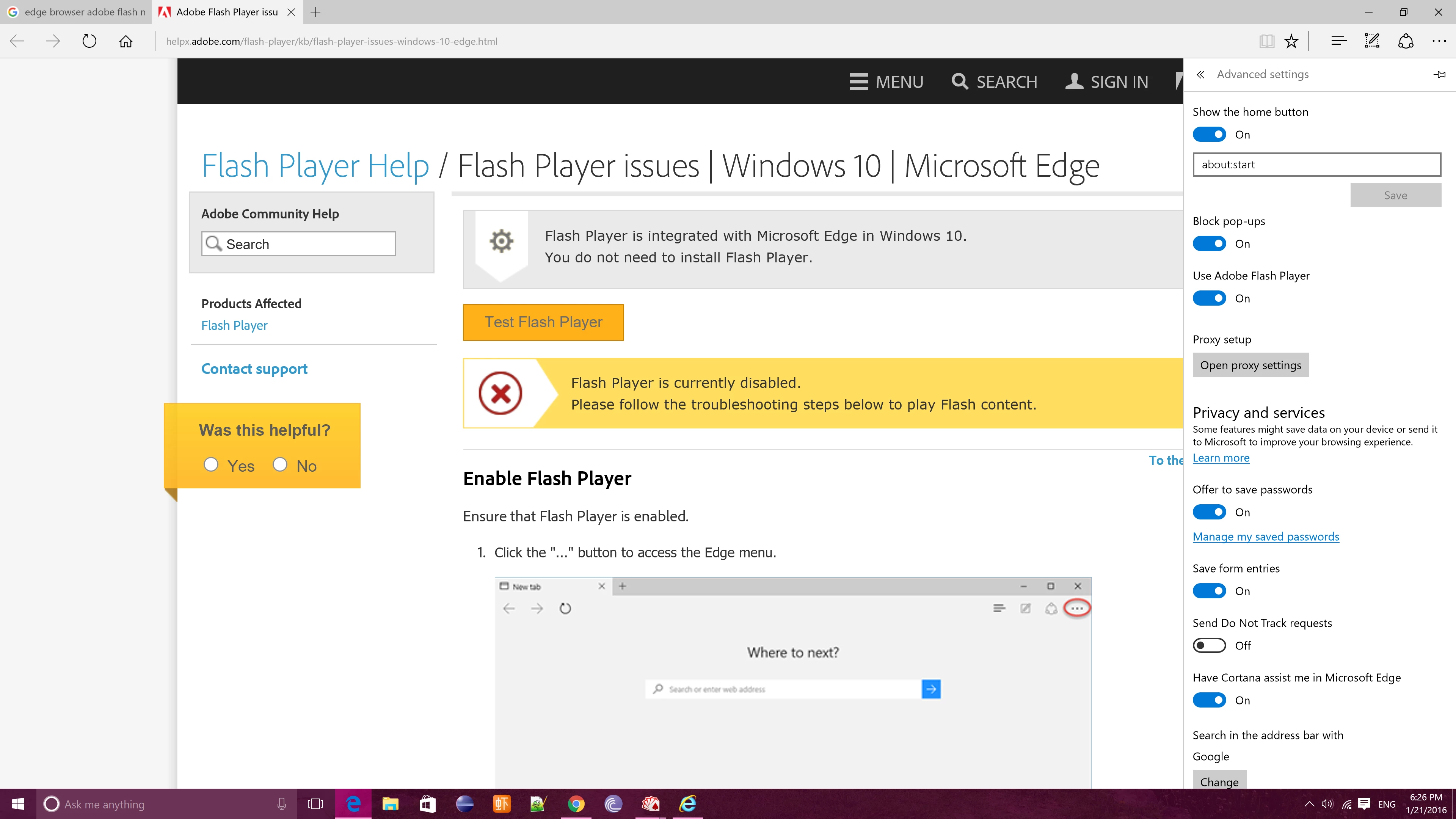
My Adobe Flash Player never working on edge browser after windows 10 upgrade for months. It always says it's disabled even I have turned it on in edge browser. Please see the screenshot.
This topic has been closed for replies.

1 reply

January 31, 2017

Same exact problem, Edge with windows 10

jeromiec83223024
Inspiring
February 6, 2017

First, confirm that ActiveX Filtering is configured to allow Flash content:

https://forums.adobe.com/thread/867968

Internet Explorer 11 and Edge introduce a number of changes both to how the browser identifies itself to remote web servers, and to how it processes JavaScript intended to target behaviors specific to Internet Explorer. Unfortunately, this means that content on some sites will be broken until the content provider changes their site to conform to the new development approach required by modern versions of IE.

You can try to work around these issues by using Compatibility View:

http://windows.microsoft.com/en-us/internet-explorer/use-compatibility-view#ie=ie-11

If that is too inconvenient, using Google Chrome may be a preferable alternative.