


Participant
September 24, 2017
Answered

Adobe Flash Player not working

  • September 24, 2017
  • 1 reply
  • 740 views

Hi, I've got a Lenovo Yoga with a 64-Bit Windows 10 Home Edition and a 32-Bit pre-installed Adobe Flash Player.

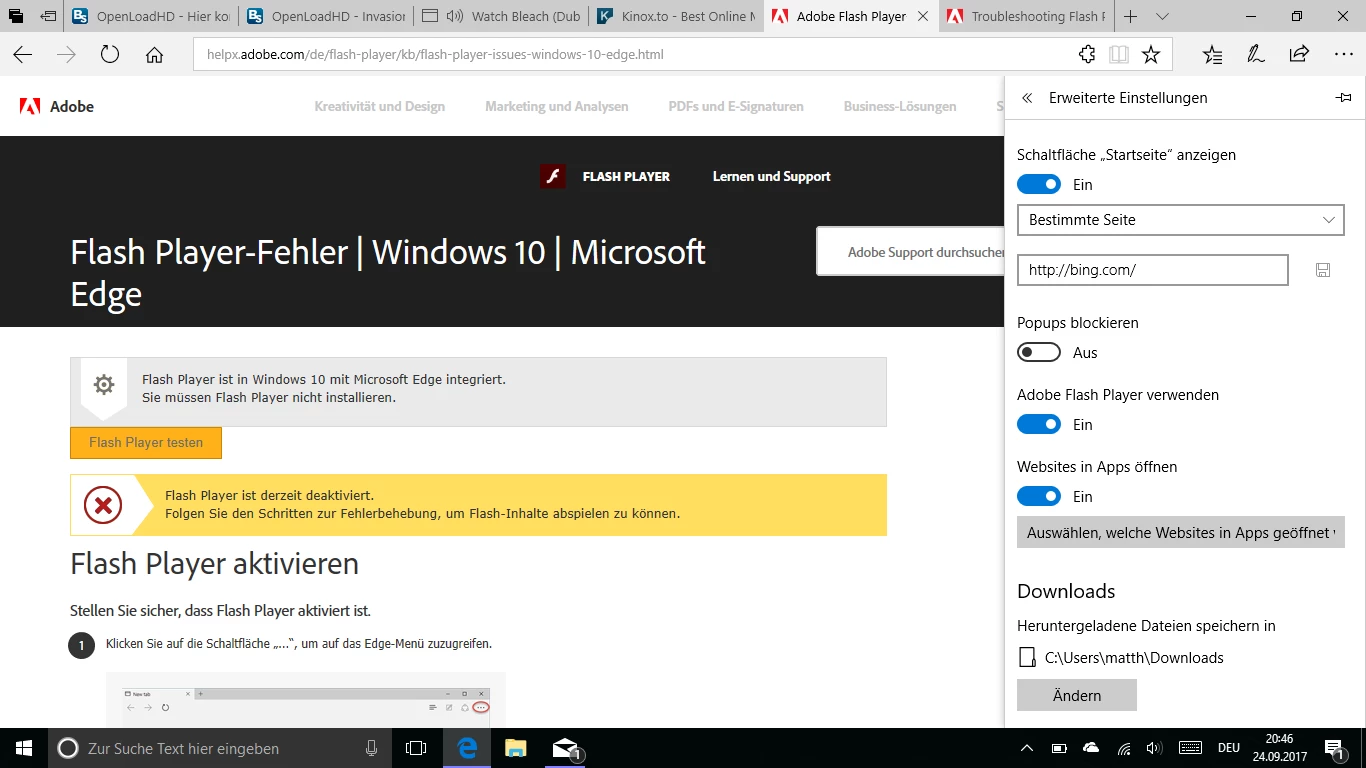
My Problem: Videos are not always working and because the Flash Player is blocked somehow or not working. I tried to test it with the Adobe tool, but it is marked as not activated as you can see. It also makes no difference using another Browser, i've tried Chrome, but it also isnt working.
    This topic has been closed for replies.
    Correct answer ridhij4208356012135538

    Hi,

    For Edge browser, follow the steps mentioned on Troubleshooting Flash Player on Microsoft Edge page.

    For Google Chrome, you can refer to Use or fix Flash audio & video - Computer - Google Chrome Help .

    Thanks!

    1 reply

    ridhij4208356012135538
    Adobe Employee
    Adobe Employee
    September 25, 2017

    Hi,

    For Edge browser, follow the steps mentioned on Troubleshooting Flash Player on Microsoft Edge page.

    For Google Chrome, you can refer to Use or fix Flash audio & video - Computer - Google Chrome Help .

    Thanks!

    Participant
    September 25, 2017

    Thank you very much!