


Question
Adobe Flash Player plugin & Firefox in MS Windows 10 Version 1607
After updating of Windows 10 to the Version 1607 the Flash Player and Firefox don't work with AVstream drivers, Another browsers (Chrome, IE and MS Edge) work well.
My environment:
- MS Windows 10 x64 Version 1607 Build 14393.82
- Mozilla Firefox 48.0.2
- Adobe Flash Player 22.0.0.209
For testing I created the driver AVStream from the Windows 10 Driver Kit samples:
How to reproduce that error:
- Set the Windows 10 Anniversary Update on OS
- Set the last Firefox an Flash Plaer
- Download the build AVStream driver pack - https://dl.dropboxusercontent.com/u/51370580/avshws.zip
- Unzip that pack and install the driver on PC by Device Manager
- Restart OC
- Load Firefox
- Load my test page with Flash Player - Webcam test Adobe Flash Player | Victor Kulichkin's personal website
- In Settings/Camera of Flash select "avshws Source"
- After start the Flash shows us a black square.
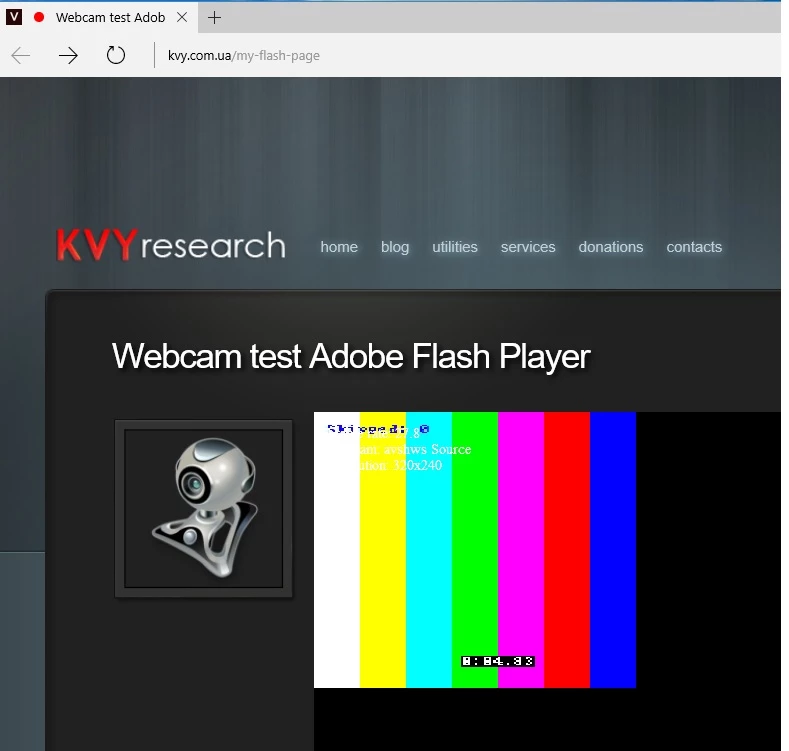
What must see there (the right result):
- Close Firefox
- Load MS Edge
- Load Webcam test Adobe Flash Player | Victor Kulichkin's personal website
- In Settings/Camera of Flash select "avshws Source"
- After run we see there:


 AdChoices