


Participant
April 2, 2018
Answered

Adobe Flash Player update from URL: [redacted] Should I be concerned?

  • April 2, 2018
  • 2 replies
  • 585 views

I acknowledged an update for Adobe Flash Player on my computer via Microsoft Edge. Then, I noticed the URL, which was: ree7stweeria.org (see screenshot below). Should I be concerned? NOTE1: Flash Player was NOT on my computer previous to this and I have verified that it still is not installed (Control Panel > Programs > Programs and Features). NOTE2: No threats found by Norton Security Quick Scan.

URL: [redacted]
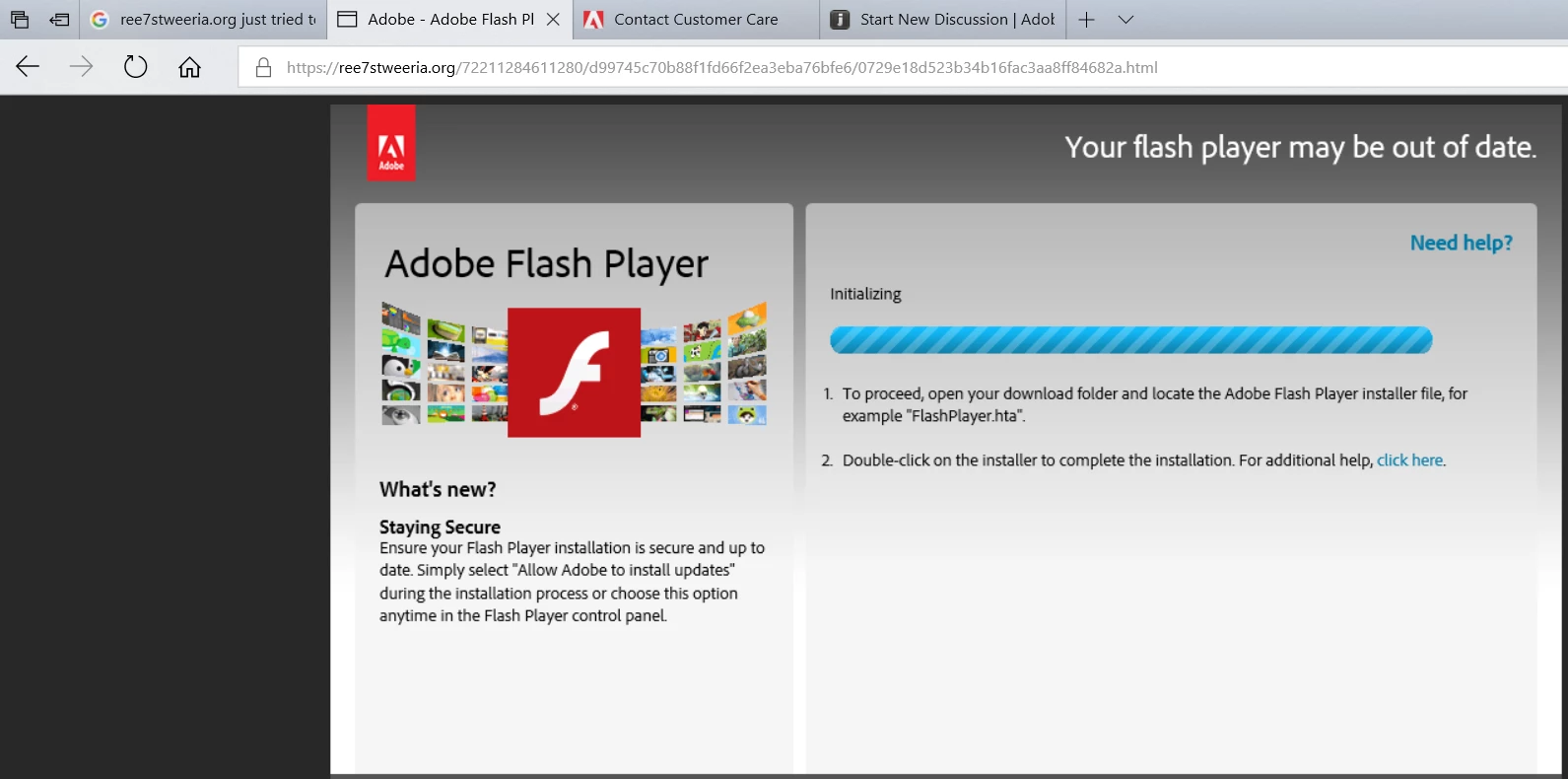
File = FlashPlayer.hta

Message was edited by: Jeromie Clark - Removing the links to weaponized payloads so that nobody accidentally clicks on them.

    This topic has been closed for replies.
    Correct answer _maria_

    Hi,

    Thank you for reporting.  That's definitely a fake website, and FlashPlayer.hta is definitely a fake file. I've forwarded to our fraud team for follow-up.  In the future, feel free to report it directly to phishing@adobe.com.

    --

    Maria

    2 replies

    jeromiec83223024
    Inspiring
    April 2, 2018

    Also, you should just delete that .hta file.  Definitely don't run it.

    _maria_
    Community Manager
    _maria_Community ManagerCorrect answer
    Community Manager
    April 2, 2018

    Hi,

    Thank you for reporting.  That's definitely a fake website, and FlashPlayer.hta is definitely a fake file. I've forwarded to our fraud team for follow-up.  In the future, feel free to report it directly to phishing@adobe.com.

    --

    Maria