


Question
Adobe Flash Player Update Issue
I use adobe flash player on my mac through google chrome. A few days ago the notification on chrome popped up saying "Adobe Flash Player was blocked because it is out of date" so there was a "update plugin" button so I pressed that. It went through the download process a few times but it never updated. It was saying the download was successful but something was happening that it wasn't updating still. So I tried to uninstall to reinstall it, but that's not working either. This pops up when I try to uninstall it 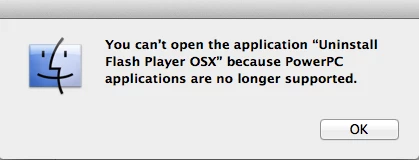 . How to I get adobe to install and work again? I've tried googling it and I've followed all the forums I've found and nothing works. Please help!
 AdChoices