
Participant
May 29, 2010
Question

Adobe Flasher Player install not working properly

  • May 29, 2010
  • 1 reply
  • 1723 views

I tried to download the lastest version of AFP for IE 8 (32-bit) on a 64 bit system and the download manager says it's 100%.  I then checked the file it was supposed to be downloaded to, which is C:Windows/SysWoW64/Macromed/Flash, and the only file there is text document named "install".  Here is the screenshot of it:
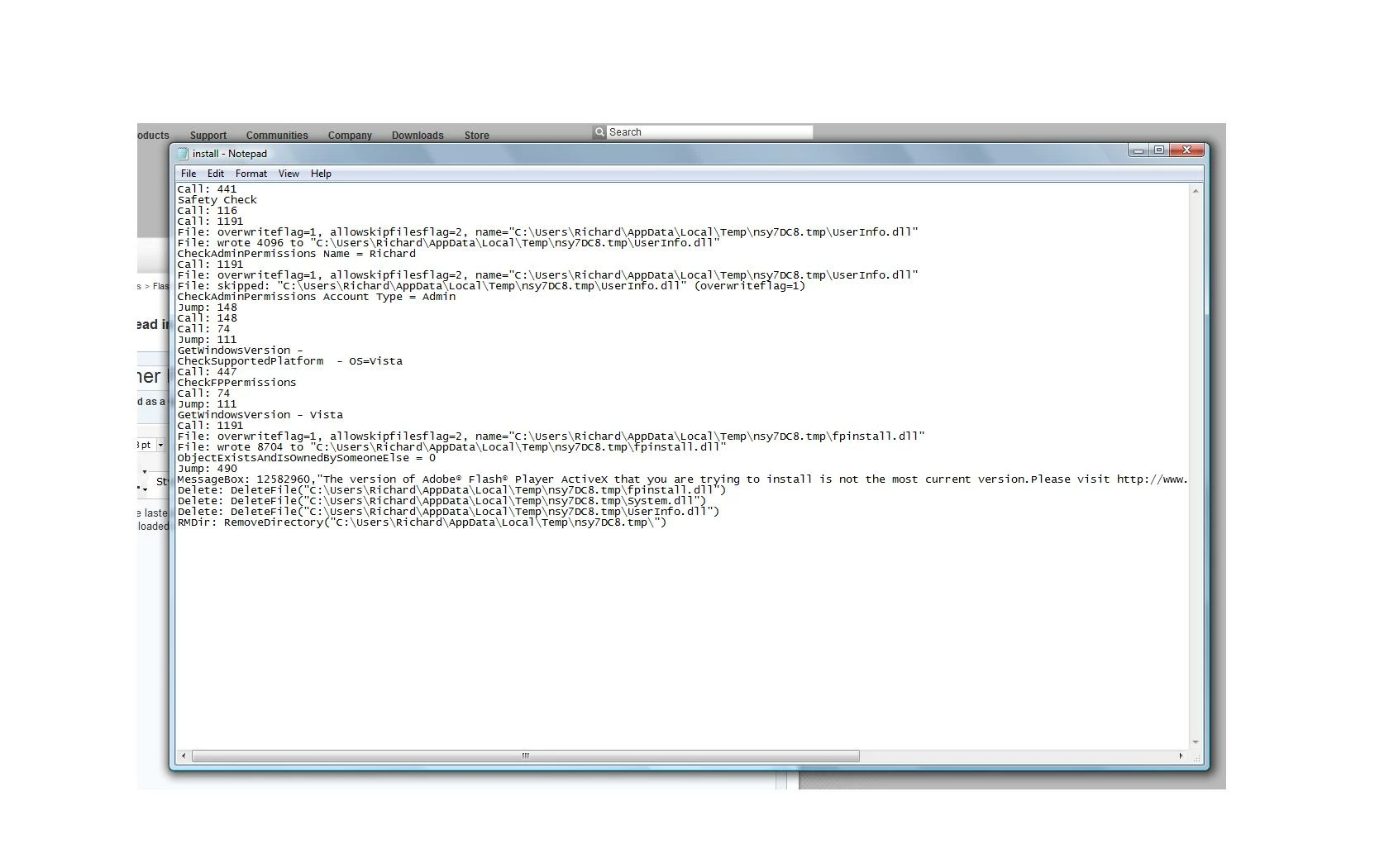
Please help!  Thank you.

    This topic has been closed for replies.

    1 reply

    370H55V
    Inspiring
    May 29, 2010

    Why on earth is it downloading to the WoW64 folder?


    That is supposed to be ONLY for the Windows on Windows 64 files that allow 32 bit apps to run in 64 bit Windows.

    Download the standalone installer from here

    http://www.adobe.com/support/flashplayer/downloads.html  or

    http://get.adobe.com/flashplayer/otherversions/

    and save it to your downloads folder. Run it from there.

    And change your browser preferences so it doesn't download (even temp files) to WoW64.