


Failisse
Participating Frequently
September 21, 2017
Answered

Adobe FlashPlayer Will Not Install

  • September 21, 2017
  • 1 reply
  • 5295 views

OS X El Capitan 10.11.6

Safari Ver. 9.1.2

Flash Player Version: N/A

1) I download Adobe for Mac OS X 10.6 - 10.12

2) I run the installation program

3) I enter in my password

4) An error pops up stating "application initialization error"
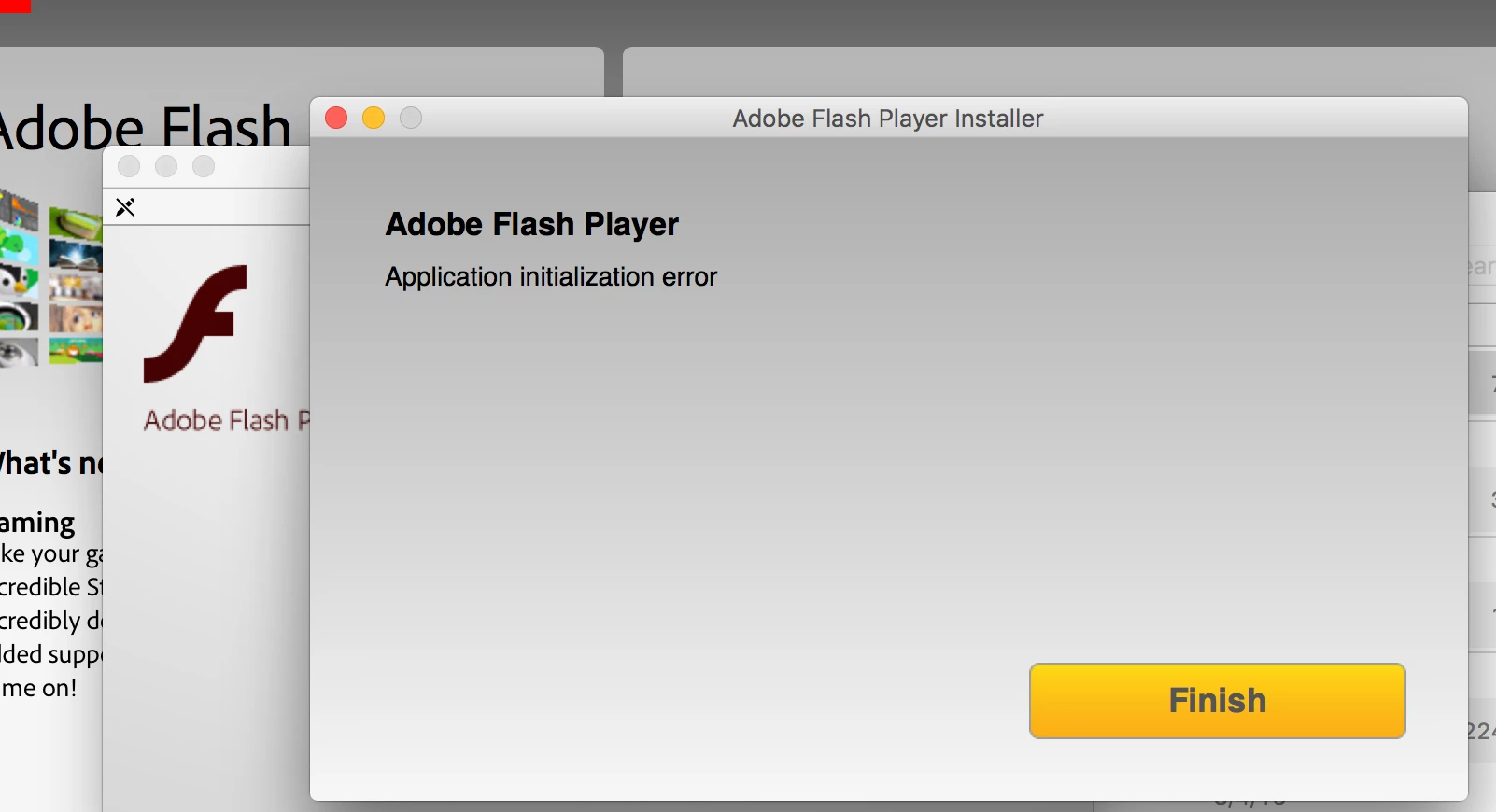
Along with the normal version I have also tried downloading the offline (standalone) version of Adobe Flash Player but no matter what version of the program I run I keep hitting the same error wall.

I use Kaspersky as my internet security program but it has never interfered with me downloading or installing programs like flash player, so I do not believe this is the issue.

I have tried downloading both the normal and standalone version of adobe flash player with the same results. I even tried downloading flash player using Chrome, but that version too is giving me the same error.

And yes, before you ask, I have done the general cleanup of cache, website data, and dump files on my Mac as well as restarted it. That hasn't worked either.

If anyone has any suggestions of things I have not yet tried please feel free to run it by me. I am rather at my wits end trying to figure out what is going on with this.

This topic has been closed for replies.
Correct answer _maria_

Hi Colin,

Thank you for the link. It looks like that site is referencing the offline (standalone) flash player installer but, unfortunately, adobe seems to have discontinued that version. Someone asked about it here: https://forums.adobe.com/thread/906955 and was directed to this page: https://forums.adobe.com/thread/889580 where adobe stated their discontinuation of their offline (standalone) installer.

Since this is the case, I'm not really sure if there is a solution to be had. Nonetheless, thank you for taking the time to offer your assistance. Your help has been most appreciated.


The 'Application Initialization Error' is only returned from the online (web, shim) installer (the one in your screenshot).  According to the online installer team, this happens when the APP file is extracting out of the mounted DMG.  Are you mounting the DMG and then dragging the APP file out of the mounted DMG onto the Desktop, or some other location, then launchign the APP from that location?

Along with the normal version I have also tried downloading the offline (standalone) version of Adobe Flash Player but no matter what version of the program I run I keep hitting the same error wall.

I've never seen the offline/standalone installer return the 'Application Initialization Error'.  Please post a screenshot of the offline/standalone installer returning the error.

https://forums.adobe.com/thread/889580 where adobe stated their discontinuation of their offline (standalone) installer.

This document refers to the Extended Support Release, which we did stop supporting some time back.  It is NOT referring to the offline/standalone installers for the currently available release, which have always been posted at the bottom of the Installation problems | Flash Player | Mac page, in the 'Still having problems' section.

1 reply

Colin Holgate
Inspiring
September 21, 2017

If you open Terminal (in Utilities), then back on the mounted installer DMG right-click on the Flash Player installer, choose Show Package Contents, go into Contents/MacOS/, and double click on the Adobe Flash Installer Manager, it will run just like usual, except that everything it's doing will be traced in Terminal.

Doing that might give a clue as to where it's failing.

Failisse
FailisseAuthor
Participating Frequently
September 22, 2017

Hi Colin,

I did what you suggested. Attached is the screenshot I took of the process as it ran through terminal. (name is inked out). Would you be able to pinpoint where the error is? I don't know how to read this. Thanks!

Colin Holgate
Inspiring
September 22, 2017

I don't get to see the delete expired sessions line, but then my install worked fine first time. Perhaps this is the 7th time you've tried.

I found some reports where the problem turned out to be either proxy settings or firewall issue. See this report about Firefox, where the same error had occurred:

"Application initialization error" message when trying to install Adobe Flash Player | Firefox Support Forum | Mozilla S…