February 22, 2015
Answered

Adobe Reader will not open Flash Player on my iMac

  • February 22, 2015
  • 1 reply
  • 1286 views

Hi Folks,

For some reason I cannot install Flash Player.  I used to have it on my iMac but now don't, maybe I inadvertantly deleted it somehow?

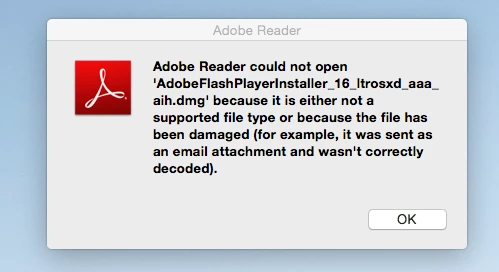
I've tried re-downloading the app but keep getting the message as below.

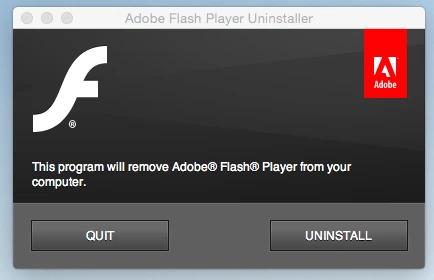
I've even tried copying the download to a Flash drive from my Mac Pro ( on which it works fine) and saving it directly into the Utilities folder on my iMac, still no luck.  When I click on the icon it only comes up with the option to "remove" Flash Player

Got any ideas?

Cheers

Peter
This topic has been closed for replies.
Correct answer _maria_

Hi Peter,

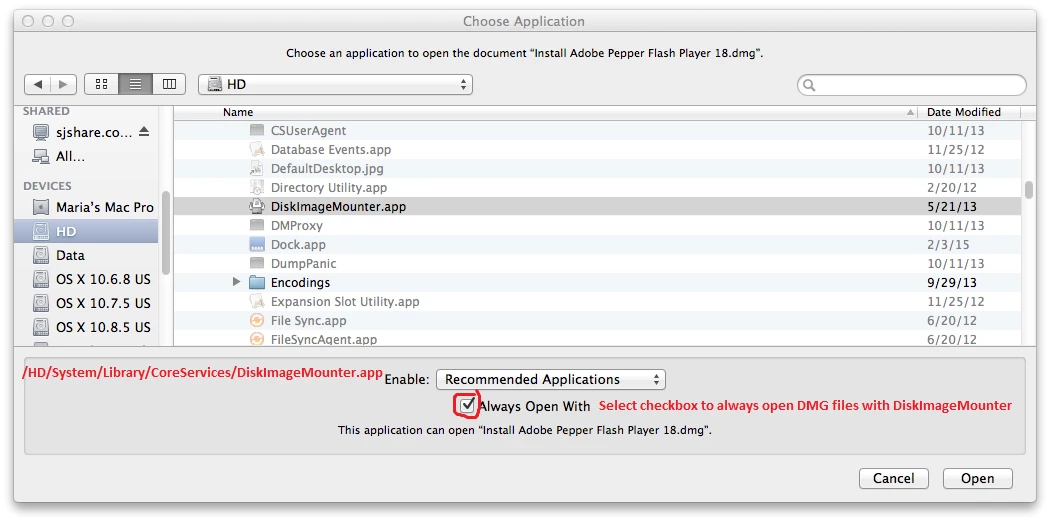
Double-clicking the DiskImageMounter.app won't do anything by itself.  You first need to right-click on the DMG that you want to open and then select Open With, then navigate to the location where DiskImageMounter.app is.  After selecting DiskImageMounter.app, place a checkbox next to 'Always Open With' at the bottom of the window.  This will make it the default app to open DMG files, as in this screenshot:

--

Maria

1 reply

_maria_
Community Manager
Community Manager
February 23, 2015

Hi Peter,

It appears that somehow Reader has become the default program to open DMG files.  You'll want to open the DMG with DiskImageMounter.app.  DiskImageMounter is found in /System/Library/CoreServices/DiskImageMounter.app.

  • Right-click on the DMG installer file and select 'OpenWith'
  • This will reveal a menu that should have DiskImageMounter.app listed.
    • If DiskImageMounter.app is not listed, select Other... and navigate to /System/Library/CoreServices/DiskImageMounter.app.
    • This will mount the DMG revealing the actual installer .app file inside
    • Double-click the .app file and proceed with the instructions to install Flash Player.

You'll actually want to make DiskImageMounter.app the default program to open DMG files so that you don't encounter the same scenario in the future.

--

Maria

February 24, 2015

Hi Maria,

I found 'Library' ...eventually but I'm not sure how.

Unfortunately I am not computer literate, so what do you mean by your 2nd and 3rd sub bullet points?  I have tried double-clicking on the Disk Image Mounter.app but nothing happens.

And, how do I make my DiskManagerMounter.app  the default program to open GMG files?

Many Thanks

Peter

_maria_
Community Manager
_maria_Community ManagerCorrect answer
Community Manager
February 24, 2015

Hi Peter,

Double-clicking the DiskImageMounter.app won't do anything by itself.  You first need to right-click on the DMG that you want to open and then select Open With, then navigate to the location where DiskImageMounter.app is.  After selecting DiskImageMounter.app, place a checkbox next to 'Always Open With' at the bottom of the window.  This will make it the default app to open DMG files, as in this screenshot:

--

Maria