

Participant
July 10, 2019
Question

Annoyingly taking the foreground

  • July 10, 2019
  • 3 replies
  • 388 views

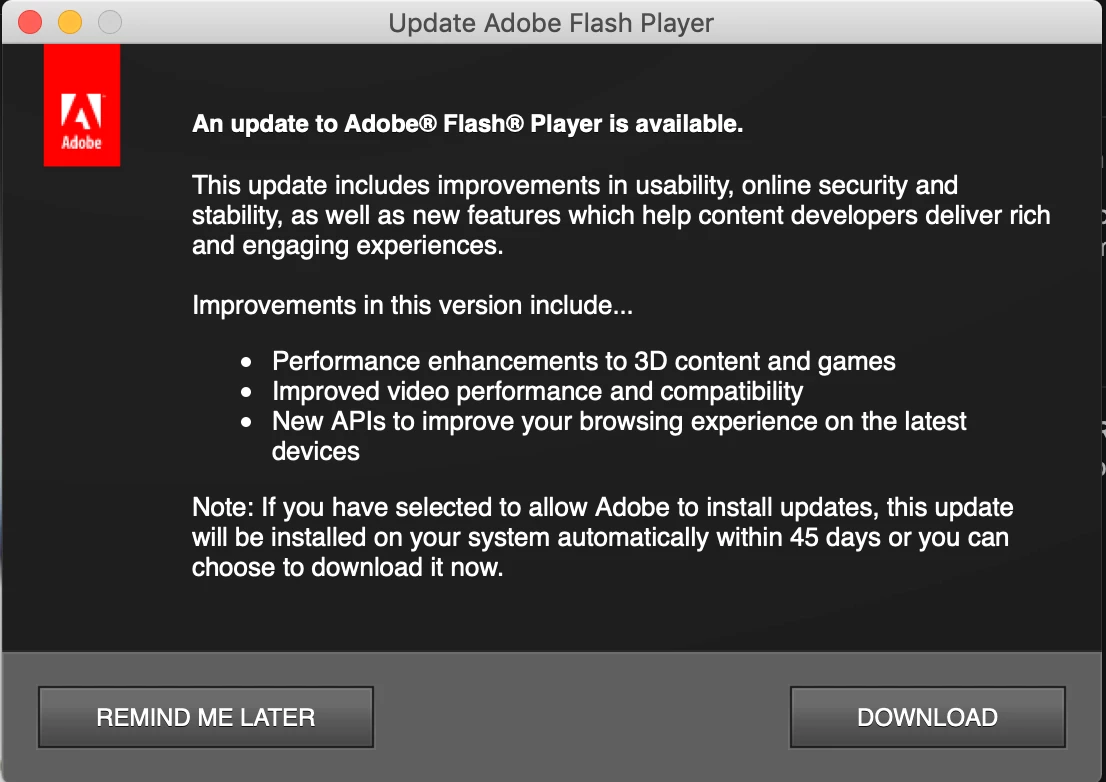
This window is jumping up and taking over when I'm mid film, game, conference calls, training etc.  That's not normal behaviour for Mac apps, please stop it.
    This topic has been closed for replies.

    3 replies

    jeromiec83223024
    Inspiring
    August 14, 2019

    +1 - It's also worth pointing out that if you're getting the notification dialog, it's because you chose it specifically (it's not the default at installation time).  We'd strongly recommend changing it back to automatic updates.  Automatic updates ensure that you have any important security updates as soon as they become available, and they're silent.

    You have to keep in mind that Flash Player isn't a typical desktop application.  You never launch it directly, and there's no real UI.  We have a background process that checks daily to see if you have the latest version.  If there's a new version available, then we grab it, or in your case, display the notification prompt.  Because that's initiated off a background task, it's going to seem pretty random.  It's really a throwback to a much earlier time (before we had an automatic updater).

    My personal preference would be to get rid of the notification option entirely -- at best, it just decreases your chance of being patched when you need it most, and degrades the user experience.  We settled for leaving it as an option (some people feel passionately about managing updates manually -- but when considering the modern thread landscape, that seems like a maddening undertaking), but we strongly recommend using the auto updater.

    If you would like to enable automatic updates, you can go to Settings > Flash Player > Updates > Allow Adobe to install updates (recommended).

    _maria_
    Community Manager
    Community Manager
    July 10, 2019

    That actually looks like the Flash Player Notification Update window.

    There are 2 types of update: background, where Flash Player updates silently in the background, with no user interaction, and Notification, where a window displays notifying the user that an update is available.  The latter appears to be what you're getting.

    Background Updates is the recommended update option as it updates Flash Player within 24 hours of a new version being available, whereas, Notification Updates can take up to 7 days.  There was a new version of Flash Player released yesterday morning, which most likely triggered the Update Notification you're seeing.

    The Flash Player install log file (FlashPlayerInstallManager.log) should have some entries indicating if this is the case.  I can review the file if you'd like.  The file is saved at ~/Library/Logs/FlashPlayerInstallManager.log  Upload the file to Document Cloud (see How to share a file using Adobe Document Cloud ) or some other file sharing service of you choice and post the link to the uploaded file in your reply.

    Robert Mc Dowell
    Legend
    July 10, 2019

    I'm afraid you installed a malware....

    Participant
    July 10, 2019

    What makes you say that?

    Robert Mc Dowell
    Legend
    July 10, 2019

    never saw this kind of text in any Flash update
