

MsElenaStr
Participant
August 27, 2018
Question

Ask to reinstall all the time

  • August 27, 2018
  • 1 reply
  • 388 views

System: Windows 10 Home

Browser: Google Chrome (last version)

Adobe Flash Player: 30 PPAPI

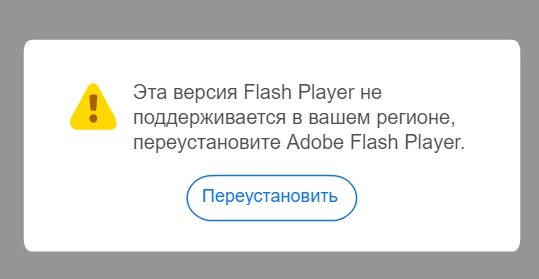
The program doesn't work. It's either asks me to reinstall or says that it's not suitable for my region.

    This topic has been closed for replies.

    1 reply

    _maria_
    Legend
    August 27, 2018

    <edit>

    Looks like you're attempting to use a plugin that is not available in your region.  If you're in China, the you would need to download and install the China-specific Flash Player plugin.  If you're not in China, but downloaded Flash Player in China, you'll need to uninstall Flash Player and re-install it.


    However, you're using Google Chrome, which embeds Flash Player PPAPI, as such, there's no need to install Flash Player PPAPI plugin separately.  However, Google disables Chrome Flash by default. See Use or fix Flash audio & video - Computer - Google Chrome Help​ for assistance.

    MsElenaStr
    Participant
    August 28, 2018

    Where can I download China-specific Flash Player plugin?

    From official site it says that it's unable to install.

    jeromiec83223024
    Inspiring
    September 4, 2018

    In China, Flash Player can be downloaded from https://www.flash.cn/

    Here's the help center for the distribution in China: https://www.flash.cn/help/index

    Here's their support link: https://www.flash.cn/custom-service/index