


March 27, 2016
Answered

BBC Iplayer- Flash Player Error ("Content doesn't seem to be working")

  • March 27, 2016
  • 1 reply
  • 10165 views

Hello,

I using a Mac OSX El Capitan- version 10.11.3

Safari Browser- version 9.0.3

Flash Player version 21.0.0.197

The Problem:

Various shows on the BBC Iplayer don't play and display the following message: This content does not seem to be working. Please try again later"

It does not happen on all the shows but on a random few. When I right click the video window I get this, telling me there is a "Flash Error 1024"
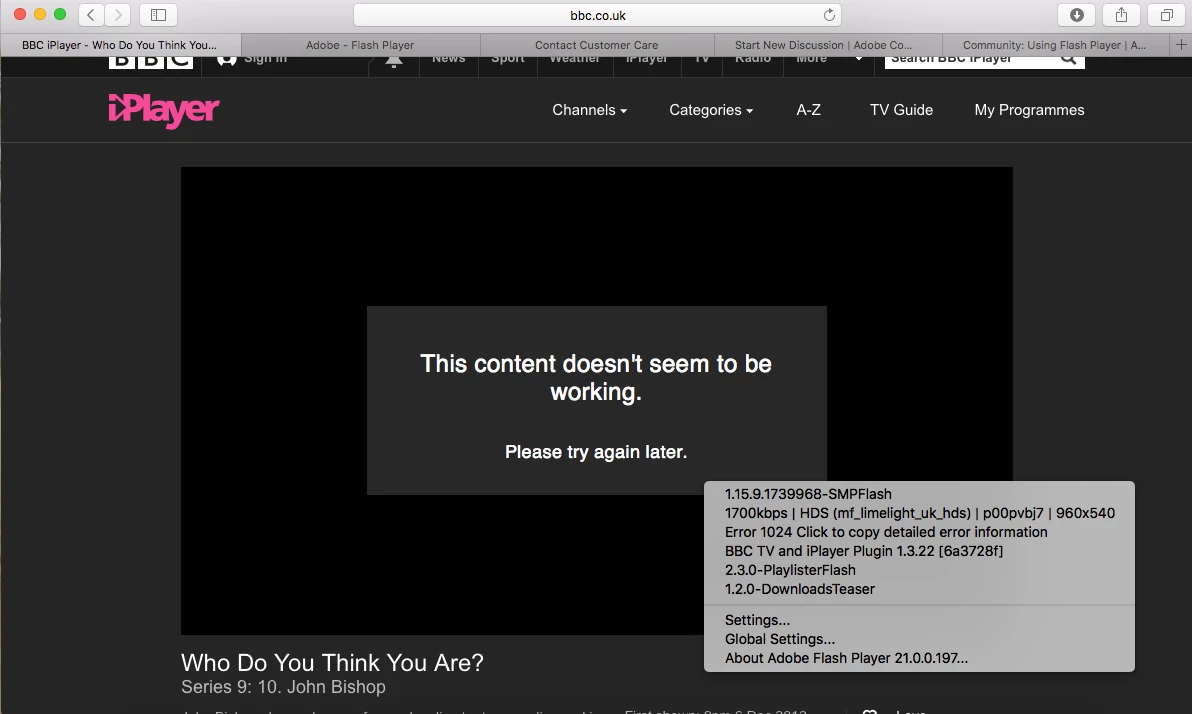
When I copy the content, the error is as follows:

Error code : EmpBaseErrorVO

code = 1024

type = No further playback is possible following a mediation error

detail =

1026

severity = critical

responsibility = MediaSelector

info = 1026

I have tried endlessly to trouble shoot this. No online forums provide clarity. Can someone from Adobe please explain what this error means and what I can do to fix this?

Thank you

This topic has been closed for replies.
Correct answer

Hi Maria,

Thank you for responding. I just looked through my preferences and the Safari pop-up blocker was checked.

I had been trouble-shooting this for days and could have sworn I had done that ages ago, but it seems that did the trick now. I am using a VPN and they just released an update as well. But I think the pop-ups is what worked.

Thanks again,

Michelle

1 reply

_maria_
Legend
March 28, 2016

Hi,

Did this start after upgrading to 21.0.0.197?  Did it work fine in the previous (21.0.0.182) version?

Do you have ad-blockers installed/enabled?

Are you accessing the site via VPN?

Do you have security utility/software installed?  If so, which one?

Does it work with other browsers (e.g. Firefox, Chrome)?

--

Maria

Correct answer
April 14, 2016

Hi Maria,

Thank you for responding. I just looked through my preferences and the Safari pop-up blocker was checked.

I had been trouble-shooting this for days and could have sworn I had done that ages ago, but it seems that did the trick now. I am using a VPN and they just released an update as well. But I think the pop-ups is what worked.

Thanks again,

Michelle