


cliffordl19528411
Participant
April 22, 2016
Question

Can not open PDF file: flash player error.

  • April 22, 2016
  • 1 reply
  • 480 views

Operating System: Microsoft Windows 7 v6.1.7601

Web Browser: Internet Explorer

Installed Software: Adobe Acrobat XI Pro, Adobe Acrobat Distiller XI, Adobe Acrobat Reader XI, Adobe Flashplayer 21 Active X

Dilemma.....I am trying to open a PDF (website: WCLIB Online Rules Book) when I get this error message:
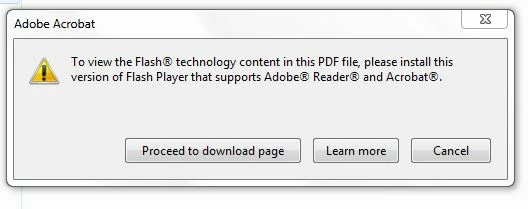
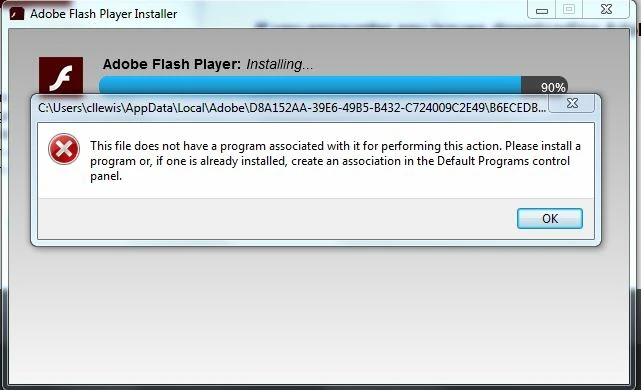
I have uninstalled and reinstalled Flash Player several times with the same error message:
Here is what is on my computer:

I still can not open the above mentioned PDF.  Any suggestions???

    This topic has been closed for replies.

    1 reply

    jeromiec83223024
    Inspiring
    April 22, 2016
    cliffordl19528411
    Participant
    April 22, 2016

    I downloaded Acrobat Flash Player and started the EXE file.  My computer is now stuck in an infinite loop trying to run the exe file.  What now????

    jeromiec83223024
    Inspiring
    April 22, 2016

    I'm not sure what you're describing exactly.  Does it just keep launching the installer over and over?  That seems like a stuck key on the keyboard or it got clicked a bunch of times in a row before it showed up on the screen.  If you installed it once, you can exit the other installers that spawned.  You might click on something that isn't the installer to remove focus, in case it's a stuck key kind of thing.

    Worst case, just reboot the machine.