


rebeccap57238187
Participant
May 9, 2018
Question

Can't access local storage settings

  • May 9, 2018
  • 1 reply
  • 290 views

I'm using safari 10.1.2 on OS X Yosemite 10.10.5 and I am unable to access local storage settings to allow a game to use more storage. When I follow the instructions to get to it, the file never appears. Instead I only see these options:
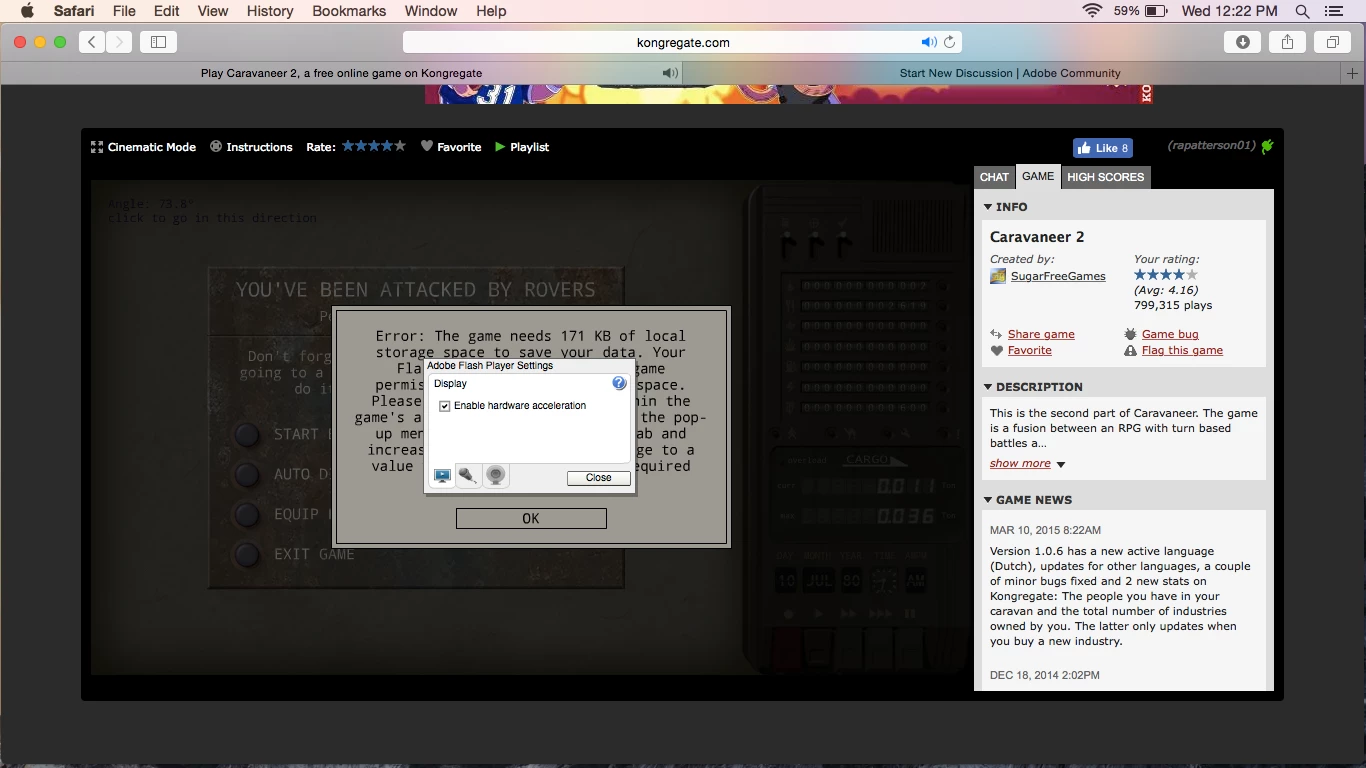
Is there another way to access it?

This topic has been closed for replies.

1 reply

jeromiec83223024
Inspiring
May 11, 2018

It's a little confusing, but there's a Settings option and a Global Settings option in the right-click context menu (assuming that the developer didn't disable them).  You want Global Settings.

Also, you can just go to System Preferences > Flash Player > Storage and change the settings there.