


Participant
December 18, 2018
Question

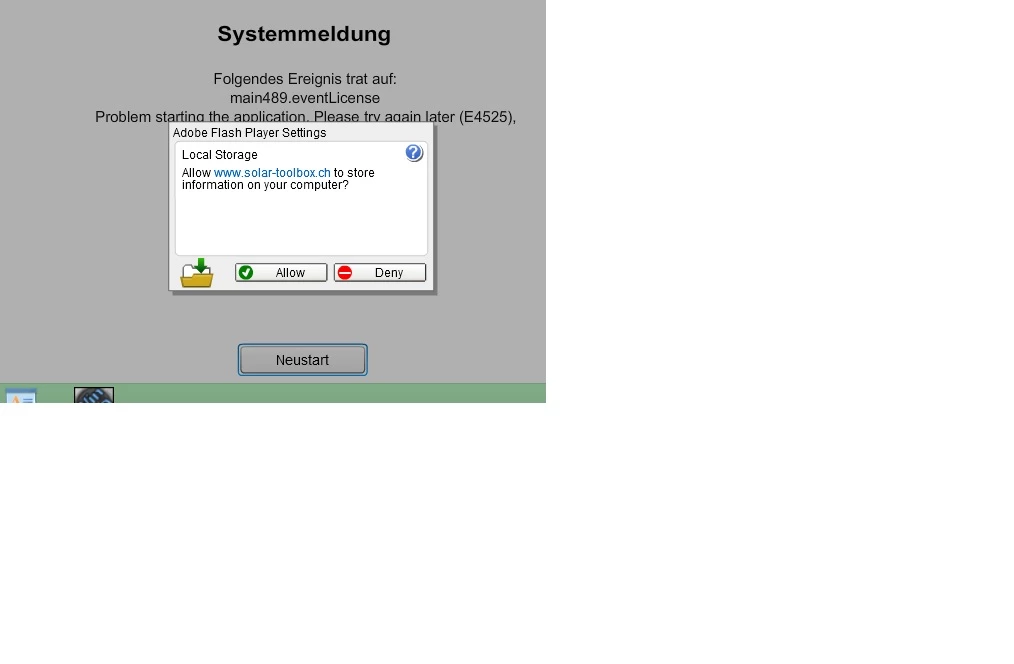
Can't dismiss local storage dialog on Firefox with Windows 8.1

  • December 18, 2018
  • 1 reply
  • 227 views

Same issue in Win8.1 with Firefox Quant....the local storage applet doesn't save acceptance from sites, i.e simply doesn't respond. Using the Adobe settings manager doesn't respond to savings. Is this a browser issue as per previous user ? This problem is driving me nuts.
    This topic has been closed for replies.

    1 reply

    jeromiec83223024
    Inspiring
    December 18, 2018

    I've branched this to a new topic because it's distinct from the topic that you replied to.


    In your case, this is our anti-clickjacking logic coming into play.  As a plugin, it's really hard for us to determine whether or not our dialog is visible and unobscured.  What we do is to attempt to compare the pixels drawn to the screen with what we think should be there.  If they match, great.  If they don't, then we ignore the click.  We err on the side of caution because it's security/privacy stuff, and this means that sometimes there are false positives.  This is worse when the dialog pops up over something moving, like video or gameplay.

    The ideal solution would be to have that dialog pop up in the browser's own permission mechanisms, but that would require new functionality and cooperation from every browser, and that's not going to happen at this point.

    The best way to deal with this dialog is to prevent it from popping up in the first place.  You can go to Control Panel > Flash Player > Storage and either just authorize storage globally, or add this to the per-domain permissions.  At that point, the dialog won't display for this domain, and you should be good.