


Participant
May 31, 2017
Answered

Can't download flash player without attached rubbish!

  • May 31, 2017
  • 1 reply
  • 738 views

I clicked the link to update flash player but then it says "installing Mcafe" and installing a few something. And there's no option to disable it! I want to update flash without being forced to install stupid programs!

This topic has been closed for replies.
Correct answer Eternal Warrior

I just want to point out...This is actually not true...

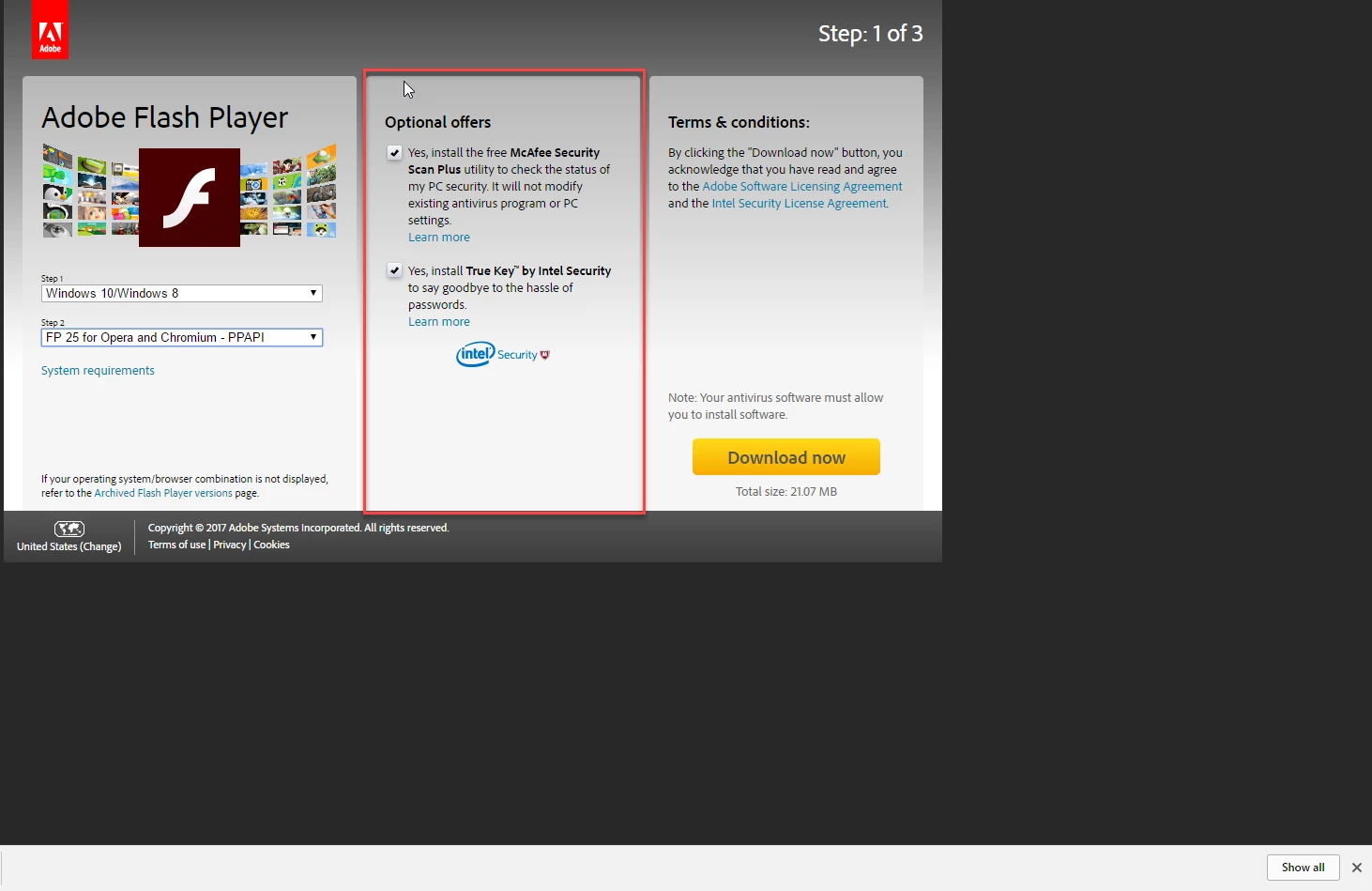
You have to give permission for it to install other programmes as per the attached example:

If you don't tick the optional offers they won't install... There are legal rights all over the world that enforce the fact the user has to have the option to choose unless otherwise stated.

Try downloading from here:

Adobe Flash Player Install for all versions

Best wishes,

EW

1 reply

Eternal Warrior
Eternal WarriorCorrect answer
Inspiring
May 31, 2017

I just want to point out...This is actually not true...

You have to give permission for it to install other programmes as per the attached example:

If you don't tick the optional offers they won't install... There are legal rights all over the world that enforce the fact the user has to have the option to choose unless otherwise stated.

Try downloading from here:

Adobe Flash Player Install for all versions

Best wishes,

EW

Participant
May 31, 2017

Ok it works from that link. I clicked the update link from firefox addons earlier which didn't have the option. Great

_maria_
Legend
May 31, 2017

I clicked the update link from firefox addons

Can you please confirm the workflow, so that we may fix it, if it's broken, or ask Mozilla to do so?

I performed the following test and was not able to reproduce the behaviour described, when opting to update Flash Player from Firefox's about:addons page:

  1. Install older version of Flash Player
  2. Launch Firefox and go to about:addons
  3. Firefox detected the old version of Flash and displayed the following:
  4. I clicked the Update Now link, in the upper right
  5. The following page displayed
  6. I clicked the 'on Adobe's Flash page' link
  7. I was redirected to https://get.adobe.com/flashplayer (one of the official Flash Player download pages), that clearly shows the optional offers: