
Participant
April 11, 2017
Answered

Can't install 25.0.0.148 in Opera 44.0.2510.1159 ib macOS 10.12.4

  • April 11, 2017
  • 3 replies
  • 549 views

Hi,

Up until 25.0.0.148 I've had no issues installing, using and updating Flash Player in release builds of Opera in macOS.

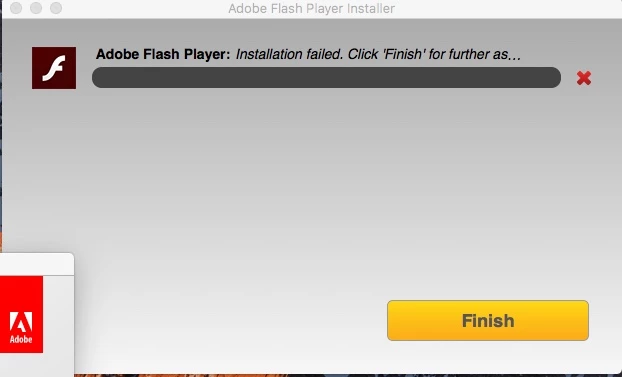
As of 25.0.0.148, I'm receiving an installation failed error as per attached.

Uninstalling, restarting and reattempting has no resolved the issue.

Ideas greatly appreciated.
Thanks,

JT

This topic has been closed for replies.
Correct answer jeromiec83223024

Please see the installation troubleshooting guide:

https://helpx.adobe.com/flash-player/kb/installation-problems-flash-player-mac.html

Collecting and posting the logs would help us identify the issue and improve the product, and the links to the offline installers at the bottom of the guide should get you going.

3 replies

pcss1976Author
Participant
April 12, 2017

Offline installer worked OK, no idea why the normal installer didn't.

_maria_
Legend
April 11, 2017

That isn't the correct installer for macOS 10.12. What is the name of the installer file you are using and from where did you download the file?

Using macOS 10.12, please go to https://get.adobe.com/flashplayer to download the installer.  For Opera, the name of the installer file downloaded should be install_flash_player_osx_ppapi.dmg.

pcss1976Author
Participant
April 12, 2017

Using AdobeFlashPlayer_25pp_a_install.dmg by going to your link in Opera.

_maria_
Legend
April 12, 2017

Are you using macOS 10.12 to download the installer?  Using Opera (43 & 44) going to get.adobe.com/flashplayer downloads the offline installer, not the online/shim installer, which is expected behaviour for macOS 10.12.

jeromiec83223024
jeromiec83223024Correct answer
Inspiring
April 11, 2017

Please see the installation troubleshooting guide:

https://helpx.adobe.com/flash-player/kb/installation-problems-flash-player-mac.html

Collecting and posting the logs would help us identify the issue and improve the product, and the links to the offline installers at the bottom of the guide should get you going.