August 13, 2014
Question

can't install flash player - disk space not enough

  • August 13, 2014
  • 1 reply
  • 681 views

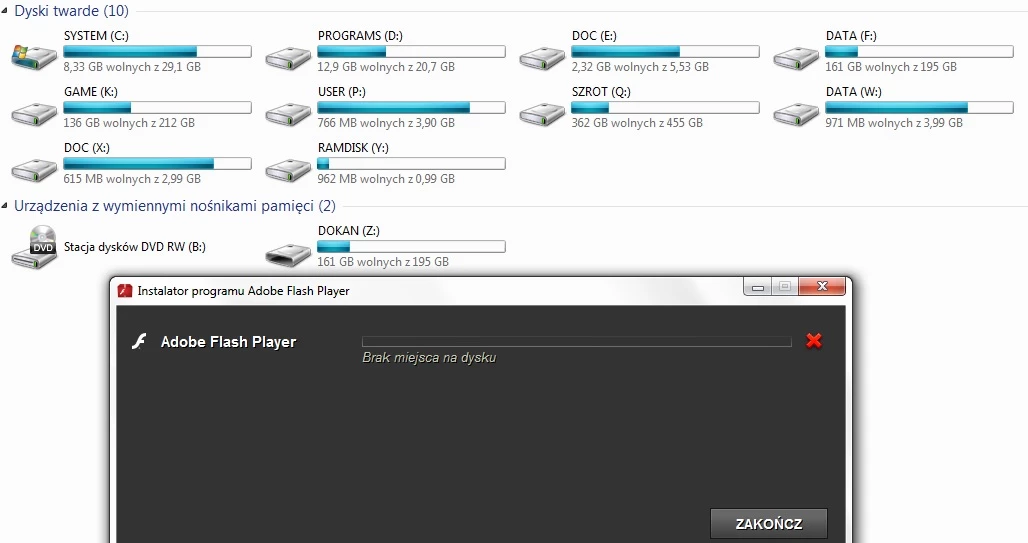
I have 11 partitions (drive letters). Which one I should check? System partition, programs partition, tmp partition or profile partition? Games partitions maybe or documents?

This stupid useless message can't help me to solve the problem at all.
This topic has been closed for replies.

1 reply

pwillener
Legend
August 13, 2014

That message may be misleading; try these installers:

If you still get an error, please post the contents of the FlashInstall.log file in C:\Windows\system32\Macromed\Flash

August 13, 2014

Thanks for quick answer.

It was not a big problem to me to solve it. But why downloader can't tell mi: "you have not enough space on drive x:, check log file c:...\temp\.... for more info." Only Next, Next, Done. There should be some options for more experienced users like old style installators.

By the way.

If you have user profile on separate partition there have to be more than 1GB free space to install flash by downloader.