


lucine2055224
Participant
January 10, 2016
Question

Can't open the installer file for Flash Player update (20.0.0.267)

  • January 10, 2016
  • 1 reply
  • 419 views

My Firefox keeps saying my Flash Player plugin is outdated, so I downloaded the latest update, but when i double-click it, it won't open/run. I tried right-clicking and selecting "Open" to no avail as well. Downloading another installer also didn't work (it didn't run when double-clicked).
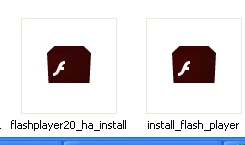
My system is Windows XP Home Edition, SP2.

Flash Player is currently at NPAPI Plug-in Version 20.0.0.235, and I've always set for Adobe to install updates automatically.

Any help would be appreciated

    This topic has been closed for replies.

    1 reply

    _maria_
    Legend
    January 11, 2016

    Hi,


    The online installer is signed using sha256 certificate, which is not supported on XP SP1 or SP2.  You can try the standalone installer posted at the bottom of the Installation problems | Flash Player | Windows 7 and earlier page in the 'Still having problems' section, however, there is no guarantee that it'll work.  Essentially, XP SP1 and SP2 are lacking support for the latest cryptographic technologies necessary to sign binary installers.  If it doesn't work, the alternative is to upgrade your system to something that supports the latest cryptographic technologies necessary to sign binary installers.  You'll begin see similar behaviour (installers not working) with more applications as Microsoft will stop recognizing the validity of apps signed with the older sha-1 certificate in 2016 (see Security Advisory 2880823: Recommendation to discontinue use of SHA-1 - Security Research & Defense - Site Home - TechN…)

    --

    Maria