


suprodan
Participant
January 7, 2016
Question

CANNOT LOAD FLASH PLUGIN (Can Someone Help Me?)

  • January 7, 2016
  • 4 replies
  • 69902 views

Hello,

A couple of days ago, I started viewing this message when trying to see videos on Google Chrome and the flash player plugin fails to load.


"CANNOT LOAD FLASH PLUGIN"...


I have Flash Player 20.0.0.267 version installed, and using Windows 10 OS.
If I use Microsoft Edge (Windows 10 new browser) or Internet Explorer. the plugin works.
Please see the below screenshots.
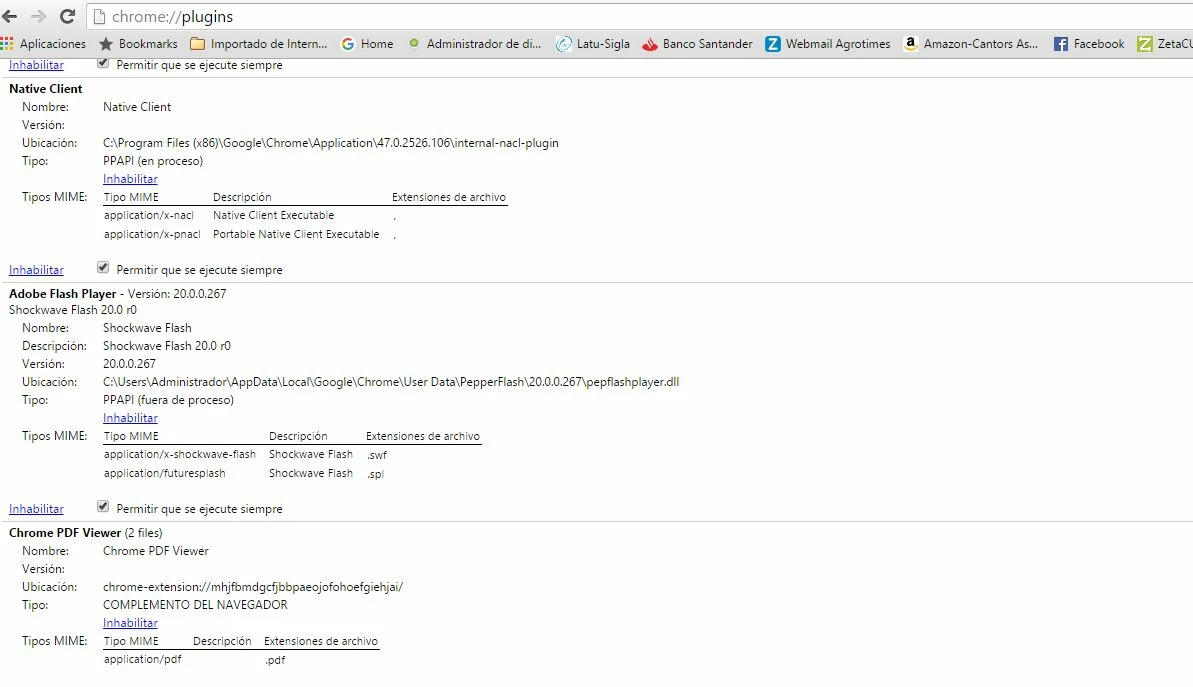
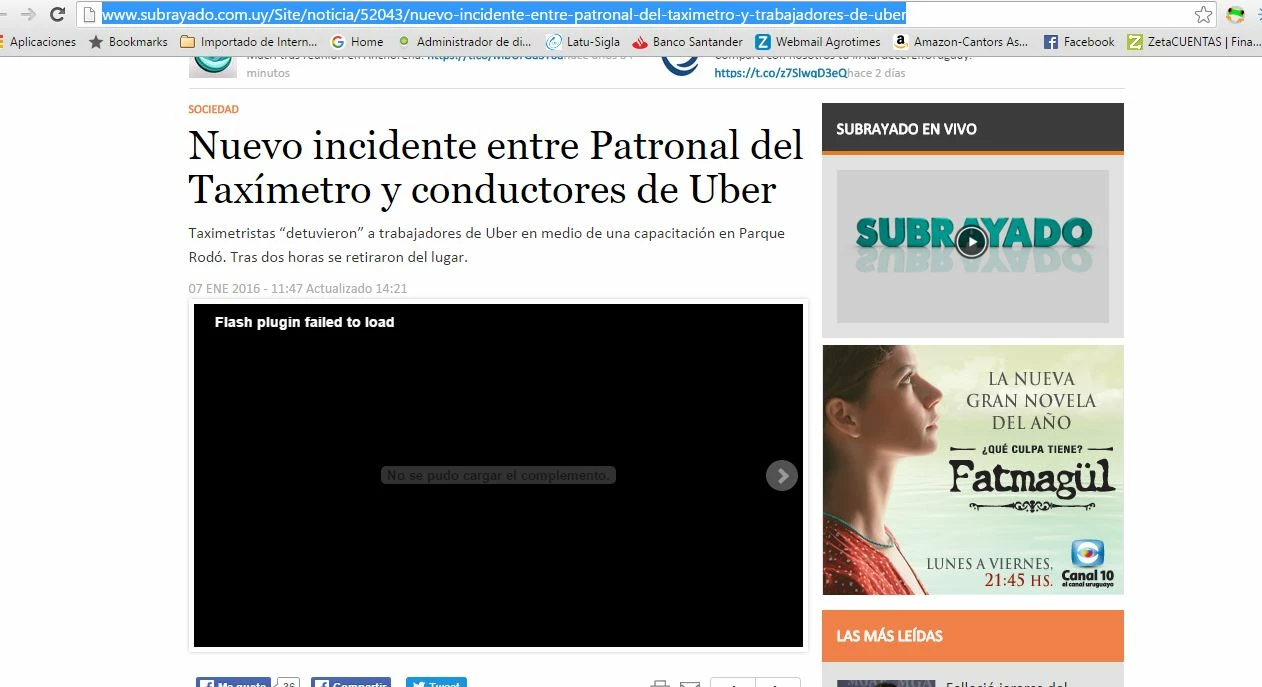
Thanks to anyone who could help me.

Best Regards

This topic has been closed for replies.

4 replies

Participant
March 11, 2016

I had this problem after I had Chrome working fine but needed to reinstall and when I reinstalled it would not run the flash plugin - I tried every suggestion offered here and elsewhere but without any luck.

However, I remembered that in order to protect my machine from the Cryptolocker ransomware virus I had put restrictions on the Local App directories.


There wasn't any entry in the Event Log that indicated that the Flash player plugin was not installed but I added the .dll


C:\Users\xxxx\AppData\Local\Google\Chrome\User Data\PepperFlash\21.0.0.182\pepflashplayer.dll


To the local security policy allowed list and reinstalled Chrome and that resolved my particular problem.


It seems that there are numerous causes to the "Couldn't install Plugin" problem and therefore numerous solutions, but if you have added security rules to your system, or work on a network that may have implemented group policies, it looks like you will need to add the .dll as an exception.


It is a no brainer to implement the Local Security policies to guard against the unauthorised installation of virus and rogue programs and it is always handy when an application displays a message if it is being blocked by the security policies, or at the very least Windows makes an entry in the event log but sometimes it appears that you just have to put 2 and 2 together. If your computer is a member of a domain and you are having the same problem and none on the solutions here or elsewhere seem to offer you a solution then you want to check with your network administrator to see if there are Group Policies enabled that are causing the flash plugin to fail to install.


Carm01
Legend
January 9, 2016

Maybe that should be built into the installer/uninstaller to delete those files for all users. In one of my apps i built to clean up/install flash it already does this, as under the PepperFlash folder there can build up multiple folders (version numbers) of flash for chrome itself. I have found that deleting this entire folder does no harm what so ever as it will be re-created at chrome launch. I'm not sure who's responsibility this falls under, i assume Googles, but I don't think it could hurt.

Best regards

sathishm75106756
Participant
January 9, 2016

After going through a whole bunch of suggestions, nothing worked. Here's what I did to correct it

  • Make sure you have the correct / latest version of Chrome
  • Make sure you have the correct / latest version of Adobe Flash - 32 bit or 64 bit depending on your OS version
  • In Chrome - type Chrome://plugins - note the location of the Adobe Flash Plugin (eg., C:\Users\xxxxxxxx\AppData\Local\Google\Chrome\User Data\PepperFlash\20.0.0.267\pepflashplayer.dll - xxxxxxxx will be the user/profile/windows login name
  • Open the location C:\Users\xxxxxxxx\AppData\Local\Google\Chrome\User Data in Windows Explorer
  • Rename the PepperFlash folder
  • Close Chrome
  • Reopen Chrome - the plugin should work now.
  • Good luck
Larry LACa
Participant
January 9, 2016

All: Sathishm's response is the most likely solution.

In Chrome, checking the versions is probably redundant, you're probably in sync already

Go to: C:\Users\<YourID>\AppData\Local\Google\Chrome\User Data\PepperFlash\

Delete the 20.0.0.267 folder

Close; Open Chrome

FlashPlayer should now work.

One of the Best Answers in the Google Chrome Forum is here - with more details

The problem occurs when there is a flash update, users switch 32/64-bit Chrome and the Chrome build preceded the flash update,

i.e. rarely. The issue is being worked in Chrome as CR 540617.

The problem goes away with the user's next Chrome update.

Chrome beta was released 1/7 and all is well there.

There is a rarer problem involving folder permission, also dealt with in the CR.

later, Larry

_maria_
Community Manager
Community Manager
January 11, 2016

Hi,


Thank you for this link to the Google forums.  Google did release 20.0.0.267 as a component update, instead of as Chrome update.  It's possible, from reading the 'best answer' in that thread that this could be a culprit.  I'll forward this to our product manager and try to get more information from Google.

--

Maria

_maria_
Community Manager
Community Manager
January 7, 2016

Hi,

This issue has been reported several times and unfortunately, we've not been able to reproduce, which makes it difficult to troubleshoot.  From searching the web there isn't any one single fix for this as a solution that works for someone may not work for someone else.  Some suggestions users have reported as fixing their problem is:

  1. Complete uninstall and re-install of Chrome, rebooting the system after uninstall and again after install
  2. See the first reply to this disucssion Sudden "couldn't load plugin" for all flash features in chrome, including Twitch and flash-based games.
  3. Check to see if there are multiple versions of Flash Player listed in chrome://plugins.  If so, disable one of them
  4. numerous suggestions here: Google Groups

Also, ensure you have the latest version installed.  This page lists the latest version for supported OS and browsers: http://www.adobe.com/software/flash/about/

--

Maria

Larry LACa
Participant
January 9, 2016

Staff: See my response to Sathishm for simple fix, etology, actions,

later, Larry