

Participant
October 21, 2014
Answered

Cannot update Flash player on Mavericks or Yosemite?

  • October 21, 2014
  • 5 replies
  • 38398 views

I have tried to update Flash Player on my MacBook Pro for both Mavericks and Yosemite, but it always gives me this message:
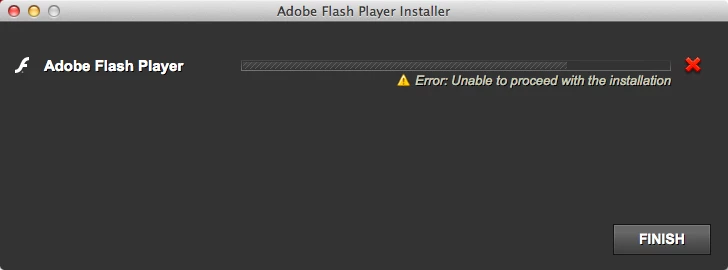
How can I successfully install flash player?

This topic has been closed for replies.
Correct answer jeromiec83223024

404: The requested URL /pub/flashplayer/current/support/install_flash_player_osx.dmg was not found on this server.


My fault, sorry: http://fpdownload.macromedia.com/pub/flashplayer/latest/help/install_flash_player_osx.dmg

5 replies

Participant
April 6, 2015

Due to SpeedTest.net not working, I decided to try updating Flash Player again, and it worked! I was finally able to upgrade to version 17 from the first release of version 16.

I would also suggest trying to extract the .app from the .dmg first for anyone else with issues. OS X seems to handle security differently based on the location of the .app.

pwillener
Legend
October 27, 2014
Participating Frequently
October 27, 2014

As I have stated previously, this does not work. There is no tool to uncompress the plugin inside the bundle. Installation fails on Yosemite every time, no matter what installer is used.

Please read this thread to examine my findings.

jeromiec83223024
Inspiring
October 28, 2014

For what it's worth, I just downloaded and installed Flash Player on my home machine running Yosemite with no problem.

Participating Frequently
October 26, 2014

Same issue. I am on Yosemite (10.10).

October 22, 2014

Unfortunately I am having the very same issue, (and it's been about a month now). I have tried just about everything and still no luck. If you are able to resolve the problem please post how you were able to do so.

Participating Frequently
October 21, 2014

I doubt you'll get much response from Adobe, but I can tell you that Flash player will absolutely not install on Yosemite. I've broken apart the installer apps and tried running the MacOS component with sudo, taken the standalone installer package apart with Pacifist and messed with this for hours. It will not install. See this thread where I report my findings:

https://forums.adobe.com/message/6846582#6846582

The installer is flawed, proper tools to uncompress the plug-in are not present, etc. I can't raise any response and have simply left it uninstalled, since there isn't another option.