


Participant
November 23, 2018
Question

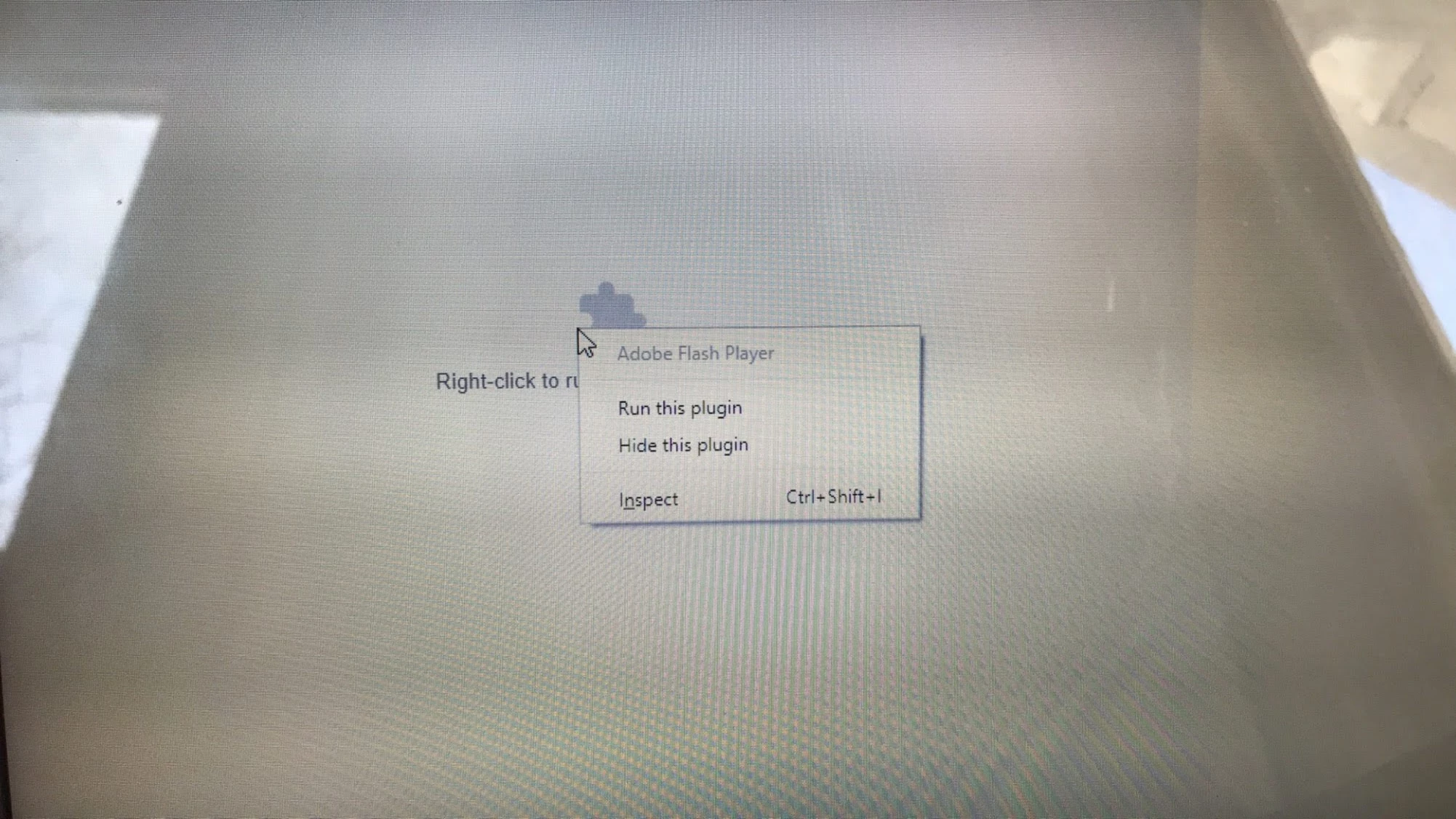
Clicking "run this plugin" for Flash it doesn't do anything.

  • November 23, 2018
  • 1 reply
  • 1838 views

I'm on Windows in Chrome and when I'm on this> main (its a website for a college assignment) the flash player plugin won't run. I have Flash enabled and its allowed on the website but when I "right click to run the plugin" and click "run this plugin" it doesn't do anything. Nothing happens. Also, I don't know if this is important but when I do right click the Adobe Flash Player is pale. Flash updates automatically on chrome so I'm up to date so I don't know what's wrong. Someone please help.
This topic has been closed for replies.

1 reply

jeromiec83223024
Inspiring
December 4, 2018

This is actually Chrome's UI, and Chrome blocking Flash from operating normally.  It's not a Flash Player issue.

That said, the link you provided works fine for me.  Make sure you're running the most current Chrome version, and that any pending updates are applied. If the problem persists, "When in doubt, reboot" is always good advice, and a good next step. 

If that doesn't help, knowing some details about your computer (operating system and browser versions, etc.) would be interesting:

https://forums.adobe.com/thread/1195540