
Answered
Colour and Lag problem with Flash.
Hi, I have this really annoying problem with flash. The pictures below show what I mean by the colour problem and the video shows the lag. I print screened both videos to show you how I receive it. I included links for you to see the video.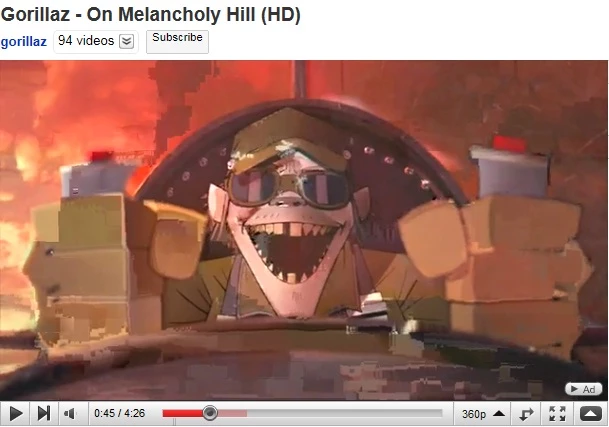
Without even watching the video I guess you can see that there is something wrong already, to compare watch the vid.
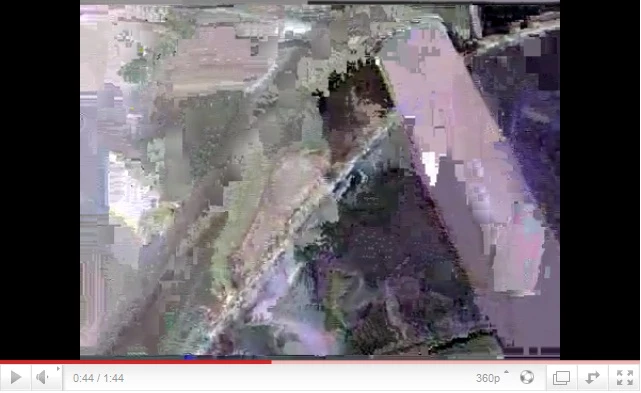
This is the worst a video ever gets although sometimes I get a green screen instead of an video
The Lag Problem I sometimes get with videos (I recorded my screen):
PLEASE NOTE:
- I have tried to reinstall/uninstall the flash player( I used the flash uninstaller from adobe)
- I have also experienced a two errors whilst watching a video; the video card (Nvidia GeForce 8500 GT) gave my windows 7 (32bit) an error and the screen flashed but I then recovered but the video did not.
- In my opinion there might be an issue with my recent monitor update and also the use of dual screens. Maybe the graphics card just can't take it.
- I checked different browsers and the same thing happens even IE9 HTML5 !
 AdChoices