


melissae48883152
Participant
June 3, 2016
Question

Connection Error Flash Mac

  • June 3, 2016
  • 2 replies
  • 1648 views

I cant install flash player on my mac.  On this forum I read that it may help to uninstall it and then reinstall it and to no avail, nothing.  Now I have no flash player at all.  when I try and install, this is the message I get. 

I am running El Capitan, 10.11 and this the latest version of flash on the website. 

Has anyone else gotten this error?  How can it be remedied?  Thank in advance.
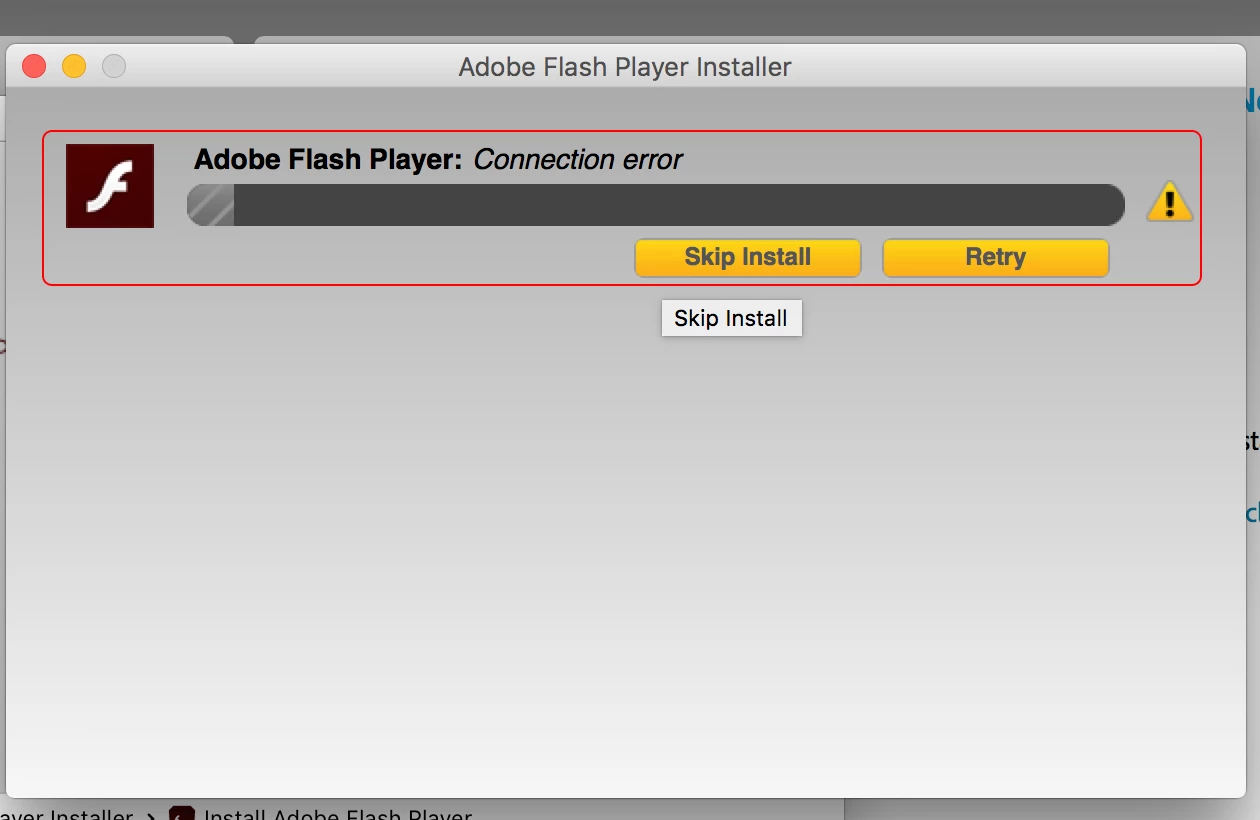
This topic has been closed for replies.

2 replies

melissae48883152
Participant
June 3, 2016

I dont have either of those log files.  I get up to the Logs folder but do not have an Adobe_ADMLogs folder.  I used Finder to search for the files and nothing came up.

_maria_
Legend
June 6, 2016

@melissae48883152​,

The Adobe_ADM.log file is created as soon as the installer launches.  It's actually created when the password window displays and the file should exist by the time the 'connection error' error is returned.  Please see the FAQ Where do I find the Flash Player installation log on the Macintosh?  for assistance.  The section on the Adobe_ADM log files is halfway down the page.  Please follow the instructions for configuring the system to generate the verbose log file and then run the installer with the system configured for verbose logging.  This will log additional debugging information that will help the team investigate the error.

Thank you.

--

Maria

_maria_
Legend
June 3, 2016

Are you using a proxy server?

I'll need to get a couple of log files from you to investigate further.  Please upload the two log files, Adobe_ADM.log and Adobe_GDE.log saved at ~/Library/Logs/Adobe_ADMLogs (this is the User's Library directory, not the system Library directory) to cloud.acrobat.com/send using the instructions at How to share a document​. Post the link to the uploaded files in your reply.

Participating Frequently
June 6, 2016

I have the same error.

Here are my log files: Shared Files - Acrobat.com

Using OSX 10.11.4 (El Capitan).

Basically Firefox has been telling me that flash player was being blocked due to being outdated. So I clicked on "update" and followed the steps. I downloaded the package AdobeFlashPlayer_21_a_install.dmg from the Adobe website, today.  When I launch the installer it says "downloading..." and then quickly switches to that "connection error". FAQ provides no info on this issue.

I am not using a proxy or a vpn or anything of the sort. Also I have disabled the antivirus and quit firefox before installing, and I don't have an active firewall, as far as I know...  still get this error.

_maria_
Legend
June 6, 2016

@tinathpot ,

Thank you for providing the log files.  I do see an error, but am not familiar with it.  I've forwarded the log files to the team that handles the online installer for further review.

--

Maria