
Participating Frequently
March 19, 2017
Answered

"connection error" for Flash Player (Firefox v52) install on Windows 10

  • March 19, 2017
  • 1 reply
  • 3185 views

I've run out of ideas on this.  Trying to install the latest version of Flash Player, since Firefox has disabled the version I had (24 something).  I've uninstalled that version hoping that might help.  But it did not.

I have Windows 10 (upgraded from Win 7 Home Premium), and the very latest Firefox (52.0.1, a totally fresh, clean install by the way)

I go to the install page, deselect the option offers, click the "Install Now"  button, save the download, exit Firefox, and then run the downloaded installer.

I see this:
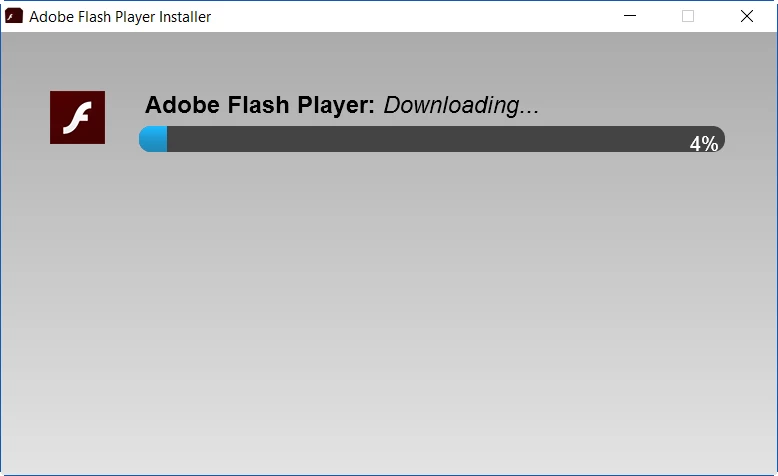
It hangs at 4%, then in about 30 seconds, I get this:
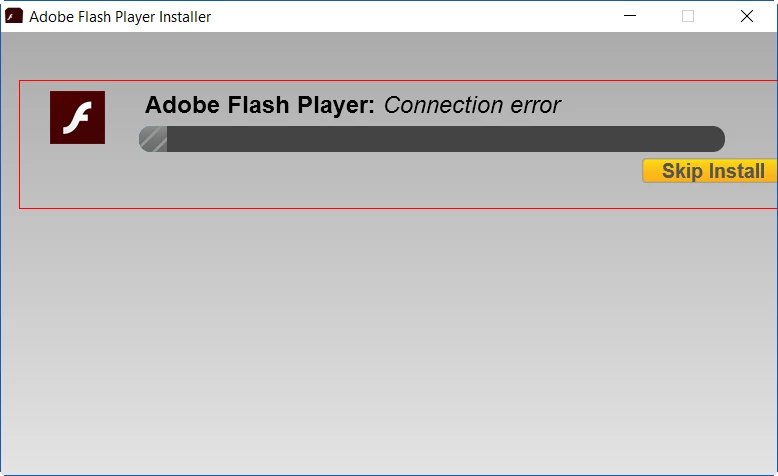
Same result before and after I uninstalled Flash 24.

This topic has been closed for replies.
Correct answer _maria_

Maria,

LAN Settings:  only "Automatically detect settings" is checked.

I use Zone Alarm Extreme Security v15.0.159.17147 and

Malwarebytes Home Premium v 2.2.1.1043

Thanks,

Carey


Hi sanfranca1@pacbell.net


Thank you for providing the information.  The online installer downloads and installs Flash Player silently in the background.  It's possible Zone Alarm is preventing this background downloading and resulting in the connection error.  To confirm, you can disable Zone Alarm and run the Flash Player online installer.  If it succeeds Zone Alarm was the culprit.  If you'd rather not disable Zone Alarm (totally understandable), the offline installer is posted at the bottom of the Installation problems | Flash Player | Windows 7 and earlier page in the 'still having problems' section.

I will forward this information to the online installer team to inform them of the issue.

--

Maria

1 reply

ridhij4208356012135538
Adobe Employee
Adobe Employee
March 20, 2017

Hi,

Please share the Adobe_ADM.log and FlashInstall.log from your machine. To know the location of the log files please go through Where do I find the Flash Player installation log on Windows? page. Share the files How to share a document and post a link to the uploaded/shared files here.

Thanks!

Participating Frequently
March 20, 2017

Here is the link to the files:

Shared Files - Acrobat.com

As the instructions said both 32 bit & 64 bit flashinstall.log files are required for a 64 bit Windows, I renamed them (copies, not the originals) by putting 32 & 64 in the names.

Thanks for helping.

_maria_
Community Manager
Community Manager
March 20, 2017

HI sanfranca1@pacbell.net


Do you use a proxy server?  Please go to Control Panel > Internet Options > Connections > LAN Settings.  In the 'Local Area Network (LAN) Settings' window, which checkbox is selected, if any?

Do you use anti-virus software?  If so, which one, including version, are you using?

Thank you.

--

Maria