


Nekorro
Participant
May 4, 2018
Question

Constantly saying I need to update

  • May 4, 2018
  • 1 reply
  • 504 views

I'm sure other people have posted about this, but I've yet to find anything that actually helps me. Okay, so I've been trying to update my website and while I can access my website with no problems, whenever I go to Wix to actually UPDATE my website I keep getting met with the message that I need to update my Flash Player. Which I did. Repeatedly. And it says that the update was successful. But I still get the message to update.
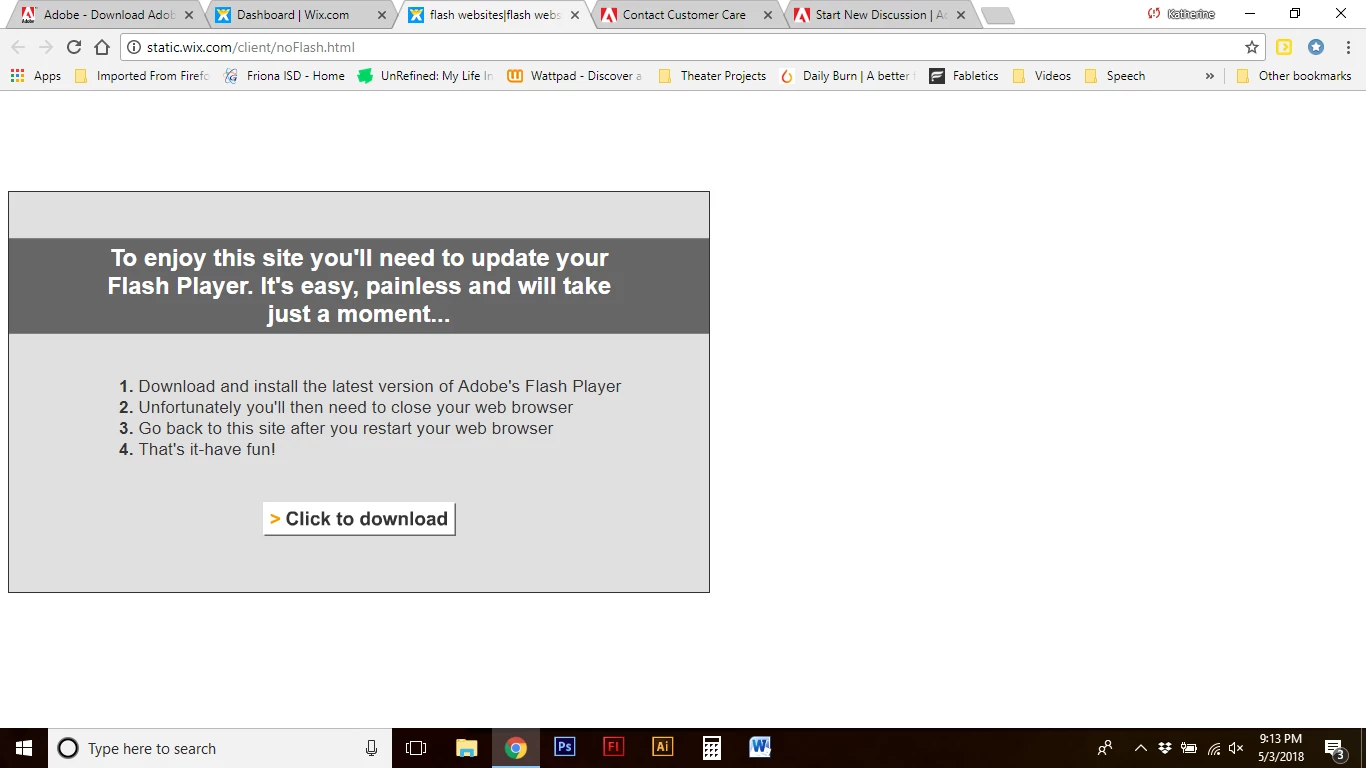
I've looked up troubleshoots on the adobe site, including making sure Chrome was up to date and I had the latest Flash, which I do, but I'm starting to get really frustrated and I'm not sure if it's on my end or if maybe something is wrong with the Wix site in general.

Like I said, someone may have already asked about this, but I'm not finding anything that helps.

This topic has been closed for replies.

1 reply

_maria_
Legend
May 4, 2018

Chrome embeds Flash Player, so there's no need to install Flash Player separately.  Chrome does disable Flash by default so you most likely just need to enable it.  See Chrome's help page at Use or fix Flash audio & video - Computer - Google Chrome Help for assistance.

BTW, that's a suspicious looking message from wix.com, but it does link to https://get.adobe.com/flashplayer, which is the official Flash download page.

Nekorro
NekorroAuthor
Participant
May 4, 2018

I followed all of the suggested steps on that link last night and again today. Still comes up with the same message.

_maria_
Legend
May 4, 2018

In Chrome, try whitelisting all sites in the Flash list of sites to allow:

  1. Launch Chrome, and navigate to chrome://settings/content/flash
  2. In the Allow section, click Add
  3. Add the following two entries:https://*
    http://*
  4. Reload Chrome

Did this fix the Chrome issue?