
Creating a custom transform file for Flash Player 24 Active X
Server Operating System: 2008R2
Machine OS: Win7 x86
Web Browser / Version: IE11
Flash Player Version: Flash Player 24 Active x (MSI)
Hi all,
Long story short I'm trying to make a GPO to deploy flash via an MSI and a custom transform. My DC is 2008R2 and I'm deploying to x86 Win7 machines in the domain.
I've downloaded the MSI file and installed Orca on my machine. I'm trying to edit the property table of the Flash MSI in order to install Flash with the following variables:
- Silent Install
- Disable automatic updates
- No prompt for the user to reboot
- No automatic reboots
I believe that the following attributes need to be set in order to do this:
AgreeToLicense = Yes
ISCHECKFORPRODUCTUPDATES = 0
AutoUpdateDisable = 1
AutoUpdateInterval = -1
DisableProductDownload = 1
SilentAutoUpdateEnable = 1
However, I'm unable to find these attributes in the property file of the MSI file. Please see below for the properties I can find:
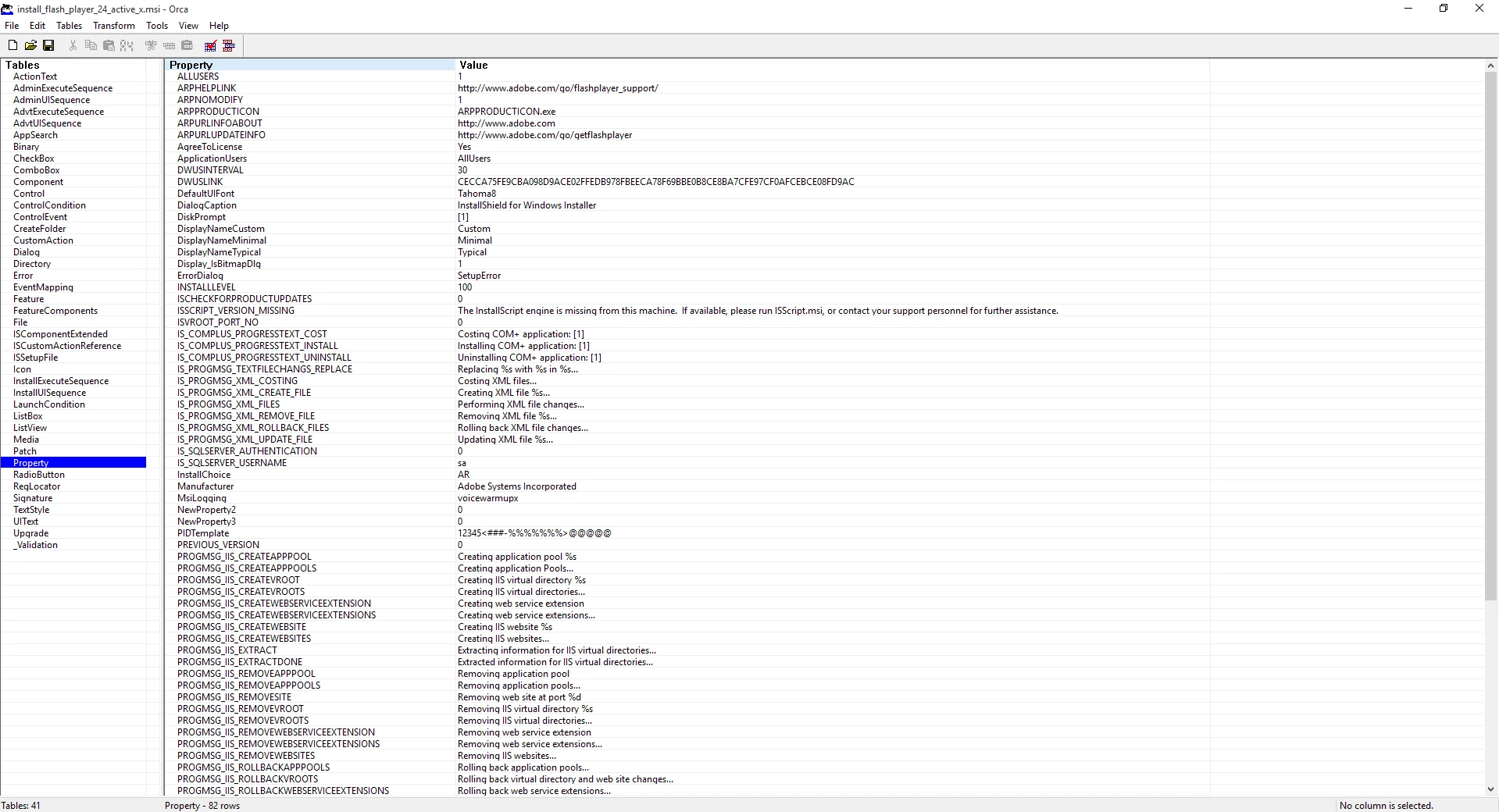
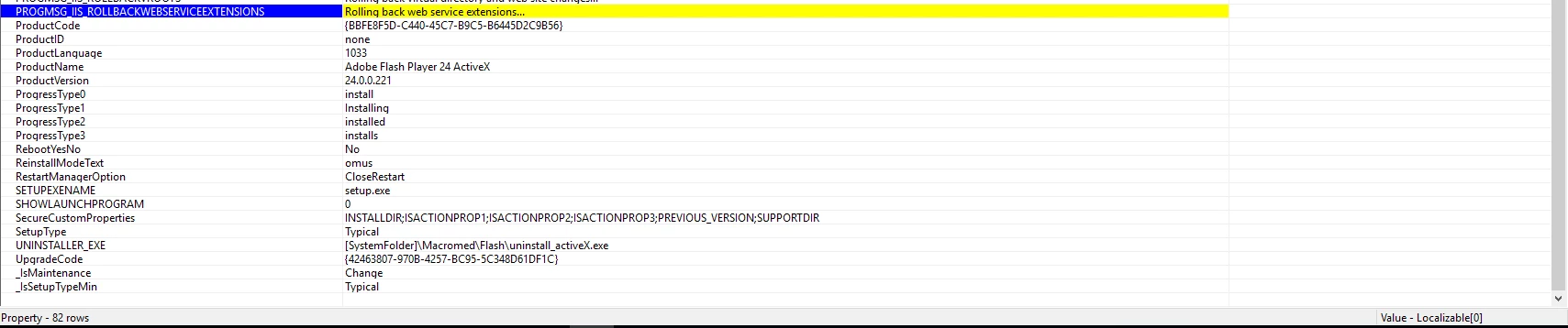
So far I've managed to find and edit the following attributes within the Property table:
AgreeToLicense = Yes
ISCHECKFORPRODUCTUPDATES = 0
RebootYesNo = No
But I'm unable to find the following attributes:
AutoUpdateDisable = 1
AutoUpdateInterval = -1
DisableProductDownload = 1
SilentAutoUpdateEnable = 1
Is anyone aware if there's a better way to deploy this via MSI with the variables I want? Otherwise, are there other attributes for the MSI file which I'm using which may achieve the behaviour that I want? I've checked the admin guide (http://wwwimages.adobe.com/www.adobe.com/content/dam/Adobe/en/devnet/flashplayer/pdfs/flash_player_24_0_admin_guide.pdf ) but this just states to just command line switches etc to run a silent install.
Many thanks in advance.


 AdChoices