


rosac21350876
Participant
May 15, 2018
Question

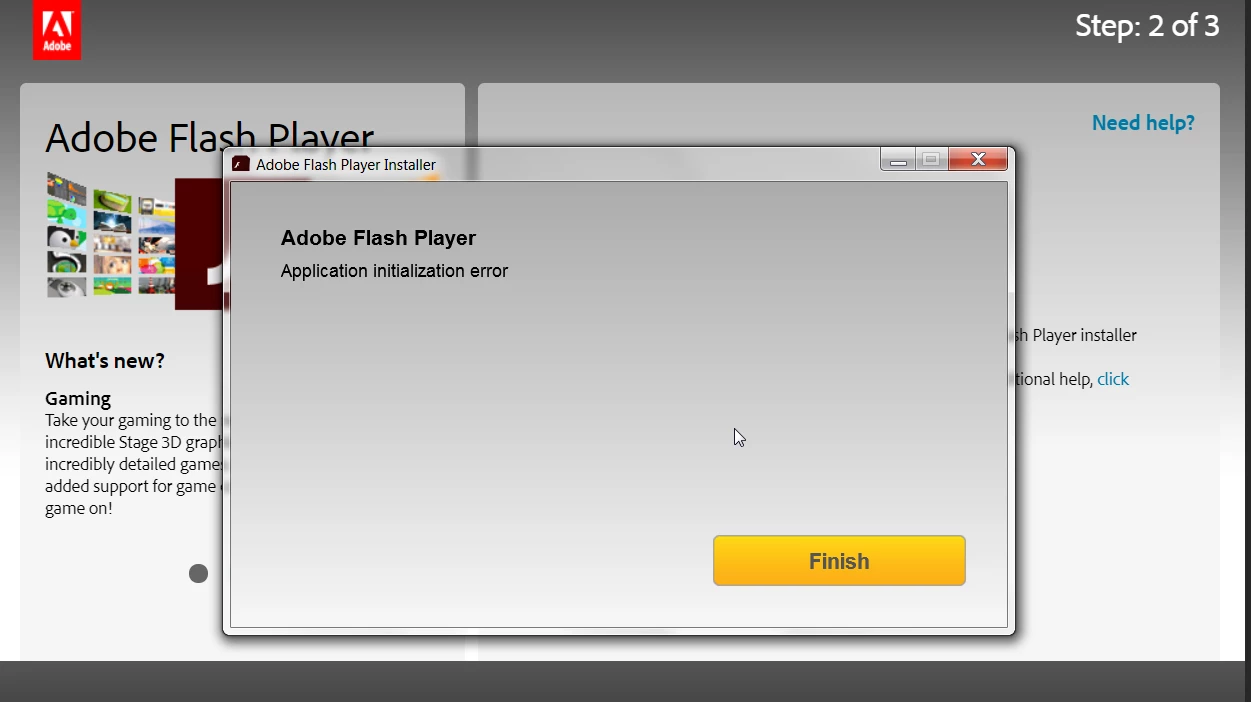
Download error message?

  • May 15, 2018
  • 1 reply
  • 324 views

Hello Adobe team,

When I try to download adobe flash player, after i click "allow to run" it comes back with an error message. I have tried several times...can you help? I am on windows 7 and tried installing using Chrome and explorer.
    This topic has been closed for replies.

    1 reply

    _maria_
    Legend
    May 15, 2018

    Hi,

    To troubleshoot the error, I'll need to get the installation log files, Adobe_ADM.log and Adobe_GDE.log.  The files are saved at:

    • Vista and above: C:\Users\<YourUserID>\AppData\Local\Temp\Adobe_ADMLogs
    • XP: C:\Documents and Settings\<YourUserID>\Local Settings\Temp\Adobe_ADMLogs

    Note: The AppData and Local Settings directories may be hidden see Show hidden files/folders (Windows 7 and above) or Display hidden files and folders (Windows XP) to view hidden folders.

    Upload the files to cloud.acrobat.com/send using the instructions at How to share a document and post the link to the uploaded files in your reply.


    As an alternative, you can try using the offline installer posted at the bottom of the Installation problems | Flash Player | Windows 7 and earlier page in the 'Still having problems' section, however, please do upload the files so that we can troubleshoot the failure with the online installer.

    Thank you.

    --

    Maria