Participating Frequently
May 14, 2016
Answered

Download & install of Flash player does not finish

  • May 14, 2016
  • 4 replies
  • 44472 views

5-6 times I have downloaded & installed Flash player.

Step 3 of 3 has only 1 option

the only option is to purchase for $9.99 some cloud product, which I do not want.

(There is not option obvious to finish the installation without the purchase.)

Exiting result in the same loop of '..need to install latest version of flash player..' messages.


[Email removed by moderator.]


This topic has been closed for replies.
Correct answer _maria_

Hi,

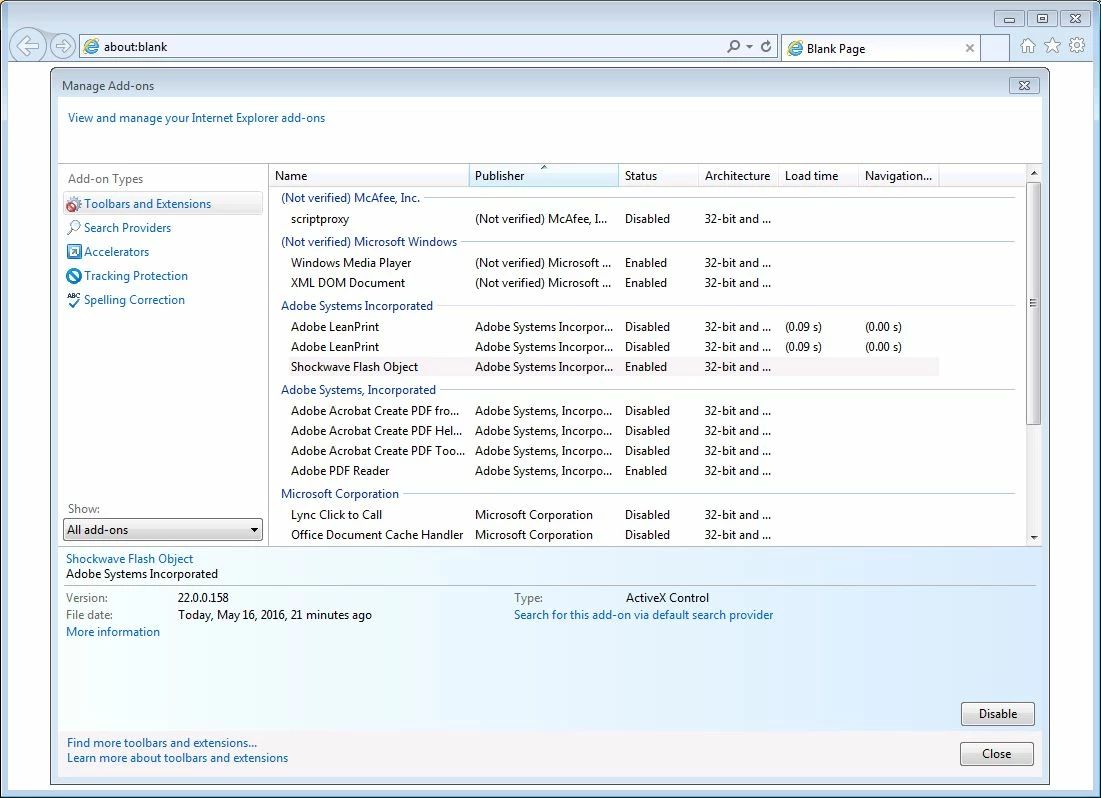
Manage Add-ons view defaults to the currently loaded Add-ons and if there isn't any Flash content in the active tab, then the Add-on isn't loaded.  Be sure to select to show 'All Add ons' to show Flash Player ActiveX (listed as Shockwave Flash).

Please ensure ActiveX Filter is disabled: ActiveX Filtering in Internet Explorer

Manage Add-ons default view:


Manage Add-on 'show all add-ons':

4 replies

September 19, 2019

Hi,

I faced the same issue some days ago. I have a facebook page it provides technical solution. From this page I got a bit of information to correct these issues. 

douglasm17272899
Participant
September 12, 2017

no  entiendo  el  ingles  por   favor  español

_maria_
Community Manager
Community Manager
May 16, 2016

Hi,

If you're getting to the page with the optional Creative Cloud offering then Flash Player installation has completed, and most likely successful.

Please go to https://helpx.adobe.com/flash-player.html and click the Check Now button  What are the displayed System Information results?

--

Maria

jkdsAuthor
Participating Frequently
May 16, 2016

Followed the link.

Check says

"Sorry, Flash Player is either not installed or not enabled.

Please go to step 2."

Step 2

declined Chrome options

Downloaded as per step 2

download started...oops must close Internet Explorer

IE closed.

_maria_
Community Manager
Community Manager
May 16, 2016

For Flash Player installations where Flash is not installed, or upgrades, the user is not prompted to close the browser. If you're being prompted to close the browser it appears Flash Player is installed and you are re-installing the same version.


For IE, please check that Flash Player is enabled in the browser, and that ActiveX filtering is disabled:

--

Maria

John T Smith
Community Expert
Community Expert
May 14, 2016

As far as I know, flash player is free... is the link below what you are using?

Getting Flash Player https://get.adobe.com/flashplayer