

fookmi
Participant
February 26, 2016
Question

Error 2032, Windows 7, IE11

  • February 26, 2016
  • 2 replies
  • 716 views

I've seen other replies on this topic, have done everything they say to do, and still experience the error shown below.
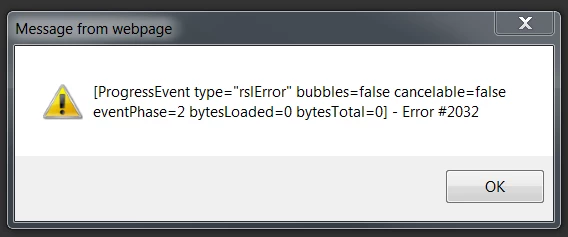
Please tell me what I'm doing wrong.

    This topic has been closed for replies.

    2 replies

    jeromiec83223024
    Inspiring
    March 8, 2016

    Yeah, typically this dialog would be suppressed.  If you right-click on the content, do you see a menu option for Show Redraw Regions?  If so, you have the Flash Player content debugger installed, which isn't want you want to use for browsing the web.  It's meant for people building Flash content, and is much slower and shows lots of error dialogs to facilitate debugging.

    To replace it with the regular release player, you'll need to uninstall it, then replace it with a good version.

    Uninstall Flash Player - Windows:

    https://helpx.adobe.com/flash-player/kb/uninstall-flash-player-windows.html

    Download Flash Player:

    http://get.adobe.com/flashplayer/

    Participating Frequently
    February 27, 2016

    Hi,

    Are you using Flash player debugger.Please use release version

    https://get.adobe.com/flashplayer/

    Also Please try clearing cache, if it works.