


Participant
October 27, 2019
Answered

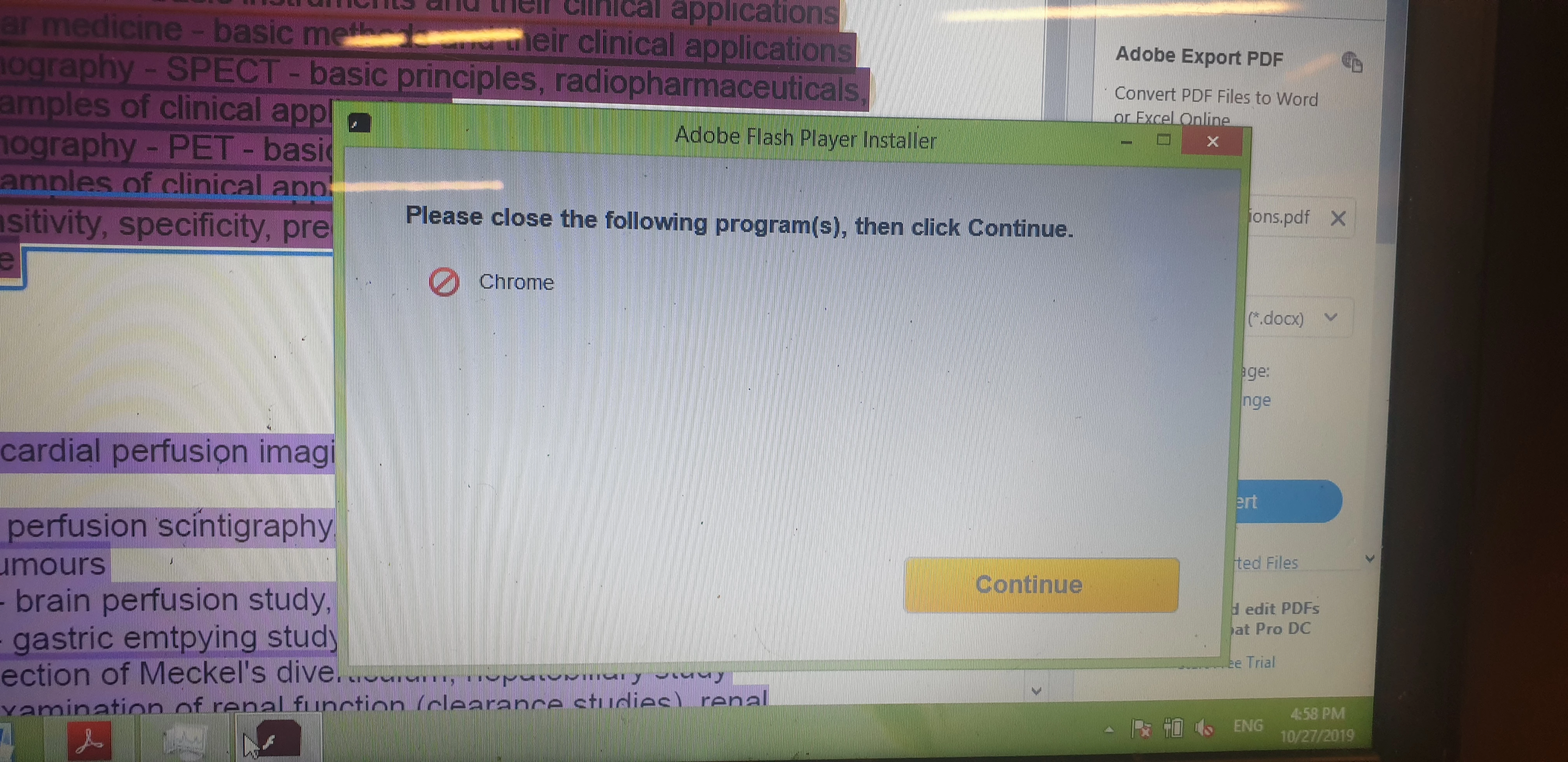
Error installing

  • October 27, 2019
  • 1 reply
  • 230 views

I am trying to install Adobe Flash on my computer (windows os) and it stops and asks me to close Chrome and press continue, it still doesnt work after i do that Ive contacted the online support they advised xlearing cache and cookies and trying to download again, and same error occured, please what can i do ?
 

    This topic has been closed for replies.
    Correct answer jeromiec83223024

    If you've got Chrome closed, then you probably have an application that uses Chrome under the hood running.  Google Hangouts is a usual supect.


    Altenatively, you could just launch Task Manager (hit alt-ctrl-del and choose Task Manager) and then close anything named Chrome.exe.

    1 reply

    jeromiec83223024
    jeromiec83223024Correct answer
    Inspiring
    October 30, 2019

    If you've got Chrome closed, then you probably have an application that uses Chrome under the hood running.  Google Hangouts is a usual supect.


    Altenatively, you could just launch Task Manager (hit alt-ctrl-del and choose Task Manager) and then close anything named Chrome.exe.