Hi DrGoodSpeed,
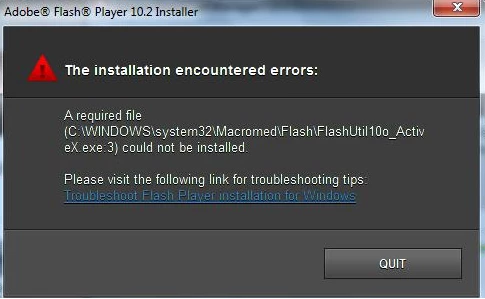
In this particular case what u can do is go to the specified location i.e C:\Windows\system32\macromed\flash\flashutils10o_activX.exe Try to rename the macromed folder .
Also Perform the steps :
1. When going to the adobe.com -> click get adobe flash player -> you will get an option diffrent operating system or browser
2.First select the operating system then step 2 would be to select the flash player select the 2nd option that would be flash player 10.2 -other browser
3.Click Download button
Go to the download location on to your system and install Flash Player normally .
Try these steps and let us know whether it worked or whats the message getting .
Regards
V.J
 AdChoices