Participant
July 8, 2016
Question

Flash Install For Safari - DONE EVERYTHING

  • July 8, 2016
  • 2 replies
  • 923 views

I have done everything to try to install this on Safari. Firefox works fine.

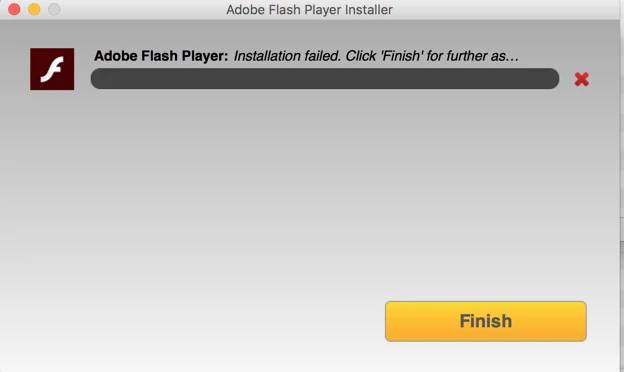
I have uninstalled and installed it, updated java, made sure my permissions were fine. I have attached an image. Is this my issue or a problem with Adobe?

Can anyone help me?
This topic has been closed for replies.

2 replies

ridhij4208356012135538
Adobe Employee
Adobe Employee
July 11, 2016

FireFox and Safari are using the same Flash Player(NPAPI). If Flash Player is working on Firefox you dont need to install another Flash player for Safari browser.

For the screenshot attached above, could you please do the follow the below steps to obtain the log files:

1.Select the Go -> Go to Folder... menu item from the Finder menu

2. Copy and paste ~/Library/Logs/Adobe_ADMLogs into the Go to Folder dialog

3. Locate the Adobe_ADM.log and Adobe_GDE.log files in the folder that appears.

4. Upload the 2 files to cloud.acrobat.com/send using the instructions saved at How to share a document and post link here.

Thanks!

Participant
July 11, 2016

It's now not working on Firefox and Safari.

ridhij4208356012135538
Adobe Employee
Adobe Employee
July 12, 2016

As I have already requested, could you please provide us the logs so that we could investigate what is the exact reason for the failure you are observing.

For now, try the offline installer posted at the bottom of the Installation problems | Flash Player | Mac page in 'Still having problems' section.

Thanks!

Participant
July 8, 2016

Same problem here running 10.11.5

Participant
July 8, 2016

Very frustrating!!