
May 18, 2017
Question

Flash player 25.0.0.171 not working

  • May 18, 2017
  • 1 reply
  • 965 views

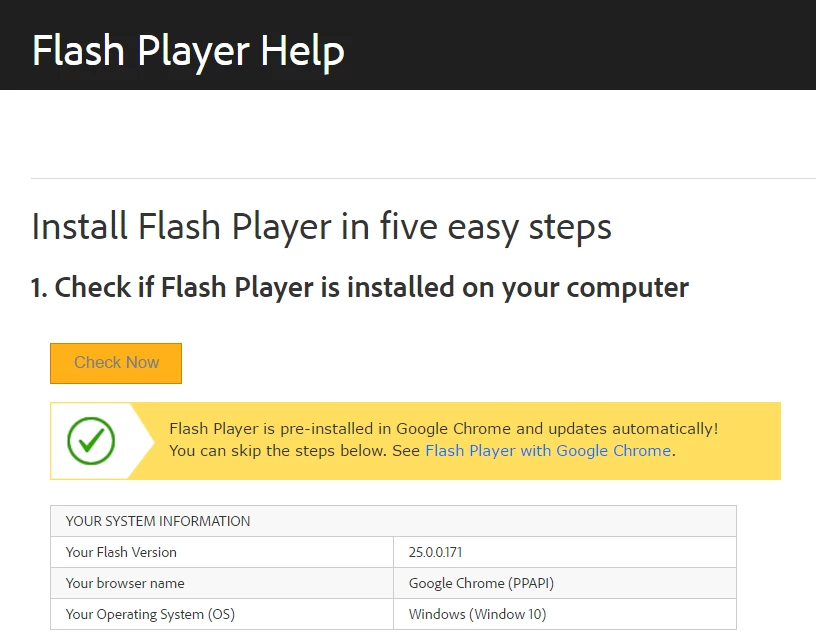
As you can see below, i did the flash player test and it came out successful. I can even see the clouds in the test image.

However when I go to cbs.com to watch one of their shows, the screen just keeps on loading forever and it never loads the video. However on my cell phone the video in the website works! So the problem has to be the computer. I have the latest version of Flash player and it still doesn't work. What should I do?
This topic has been closed for replies.

1 reply

divya010193
Adobe Employee
Adobe Employee
May 19, 2017

Hi,


Google removed the chrome://plugins feature in Chrome 57. 

To enable Flash Player in Chrome 57, do the following:

  1. Launch Chrome and navigate to chrome://settings/content
  2. Look for the Flash entry
  3. Either
    1. select Allow sites to run Flash which should enable Flash on all sites
    2. or select Manage exceptions... and manage Flash on a per-site basis by entering the individual site domain name and setting the entry to Allow.  Click Done when finished entering the individual sites.
  4. Click Done
  5. Relaunch Chrome
  6. Does Flash content display?

If the above doesn't work, try the following;

  1. Launch Chrome and navigate to chrome://flags
  2. Search for Prefer HTML over Flash
  3. Select Enabled
  4. Relaunch Chrome
  5. Does Flash content display?

Also, you can refer to Enable Flash Player for Google Chrome

Thanks!