
alexi91113563
Participant
February 26, 2017
Question

Flash Player

  • February 26, 2017
  • 2 replies
  • 442 views

Hi, I have a problem with my Flash Player on my IMAC, OS X SIERRA. I keep getting a pop-up message saying "Installer quit unexpectedly" And the Flash Icon appears on the toolbar for a second but disappears in a couple of seconds. If anyone has the same problem please let me know how you solve the issue.
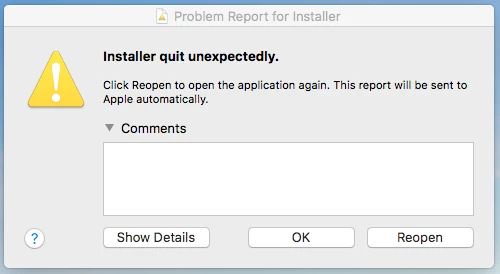
This is the pop window I get for months now

Alex 

This topic has been closed for replies.

2 replies

_maria_
Legend
February 27, 2017

Hi alexi91113563

What browser do you use Flash Player on?


In the 'Installer quit unexpectedly' window, click on the Show details button.  Copy and paste the details into a text document.  Save the file and upload the text document to cloud.acrobat.com/send using the instructions at How to share a document. Post the link to the uploaded file in your reply.

--

Maria

ridhij4208356012135538
Adobe Employee
Adobe Employee
February 27, 2017

Hi,

Could you share the link from where you downloaded Flash Player? Additionally, please go to Adobe Flash Player Install for all versions page and download the latest version of Flash Player. If you still see the same issue please share the Install.log and FlashPlayerInstallManager.log file from your machine. To get the log files please go through Where do I find the Flash Player installation log on the Macintosh? Share the log files following steps mentioned How to share a document here and post a link to the shared files on this thread.

Thanks!