


jamiek37907622
Participant
April 22, 2016
Question

Flash Player Button is appearing on My Blog

  • April 22, 2016
  • 2 replies
  • 253 views

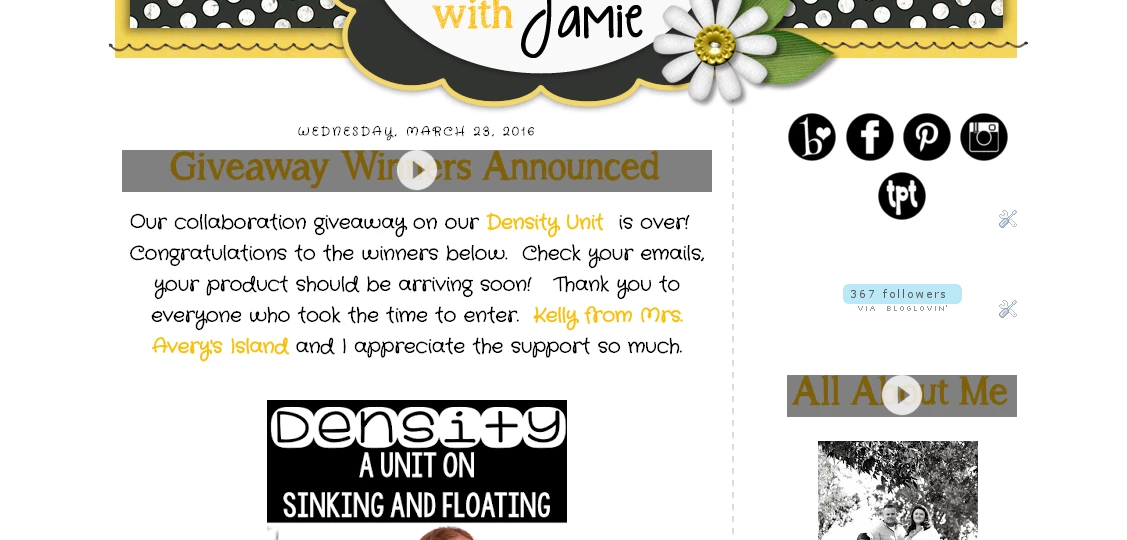
The Flash player button will not quit appearing on my blog titles.  It only appears this way in Google Chrome.  It does it only on my blog.  Not on any other blogs I follow.   I went in changed the setting to the "global settings" - still did  not change.  Then I uninstalled Google Chrome and reinstalled - still did not change.  It just appeared about three months ago out of no where and now I can't figure out how to get rid of it.  It appears this way on both computers at home and at work, so it has to be something in the settings.  I went in checked the HTML codes in the actual blog and not anything has been changed.  Any suggestions????
    This topic has been closed for replies.

    2 replies

    jeromiec83223024
    Inspiring
    April 26, 2016

    This looks like Chrome's Power Saver mode. 

    Chrome Power Saver pauses everything that looks like an ad, not just Flash content.  If those are .GIFs or something, and Chrome is displaying the Flash context menu when they're paused, that's probably just a Chrome bug. 

    Instead of using images for stylized text, you probably want to replace them with HTML text with CSS applied.  The image-for-stylized-text approach is an old-school '90s web design sin.  There are more appropriate ways to do this now. 

    Web Font products like Adobe TypeKit  https://typekit.com/ give you a huge array of available fonts via native HTML.  This will keep all of your text available for people using accessibility software, and it won't set off Chrome's power saving heuristics.

    Carm01
    Legend
    April 23, 2016

    There is a 100% chance if it only appears in Chrome, it is an issue with Chrome or your coding related to Chrome as you state that it is only in your blog and only in Chrome

    Also Chrome is  pausing flash content automatically as of September 2015

    Google Chrome Will Pause Flash Content Starting Sept. 1 | Digital Trends

    You could try posting a link to your blog to see if any of us others see the button as well, or you could change the autoplay feature in chrome for yourself

    Best regards