


Participant
January 17, 2016
Question

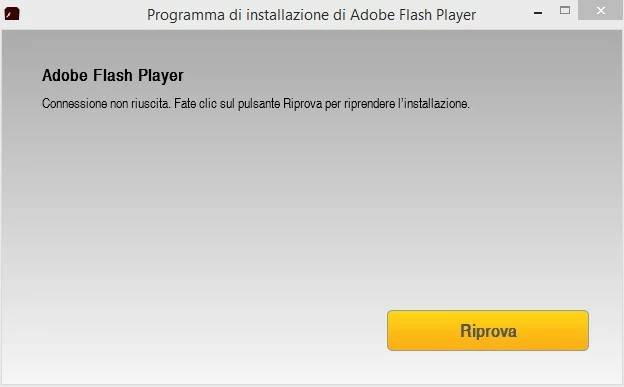
flash player connection failed unable to complete installation

  • January 17, 2016
  • 1 reply
  • 917 views

I.m using win 8.1 64 bit with firefox and when I try to install the last flash player  update appears the error "flash player connection failed unable to complete installation". i also uninstalled the previous version but nothing changes. Can you help me?
This topic has been closed for replies.

1 reply

_maria_
Legend
January 18, 2016

Hi,

Please review the FAQ Where do I find the Flash Player installation log on Windows? and provide all 3 of the log files.  Since this is a 64-bit OS, provide the FlashInstall.log file from the System32 and SysWOW64 directories.  Upload the files to cloud.acrobat.com using the instructions How to share a document or some other file sharing service of your choice.

Do you have anti-virus software installed?  If so, which one?

Thank you.

--

Maria

Participant
January 19, 2016

File condivisi - Acrobat.com

I use kaspersky internet security

_maria_
Legend
January 19, 2016

Hi,

This is the online installer, which downloads and installs Flash Player silently in the background, that is returning the error.  The log files you provided are for the Flash Player itself, and do not contain logs for the online installer.  The log file for the online installer, Adobe_ADM.log, is saved at C:\Users\<YourUserID>\AppData\Local\Temp\Adobe_ADMLogs. If you post that file, we can investigate why it failed.


In the meantime, you can try using the offline installer, posted at the bottom of the Installation problems | Flash Player | Windows 7 and earlier page, in the 'Still having problems' section.  This is the full installer and should work without returning the connection error.

--

Maria