
Participant
December 24, 2016
Question

Flash player crashes 100%

  • December 24, 2016
  • 1 reply
  • 448 views

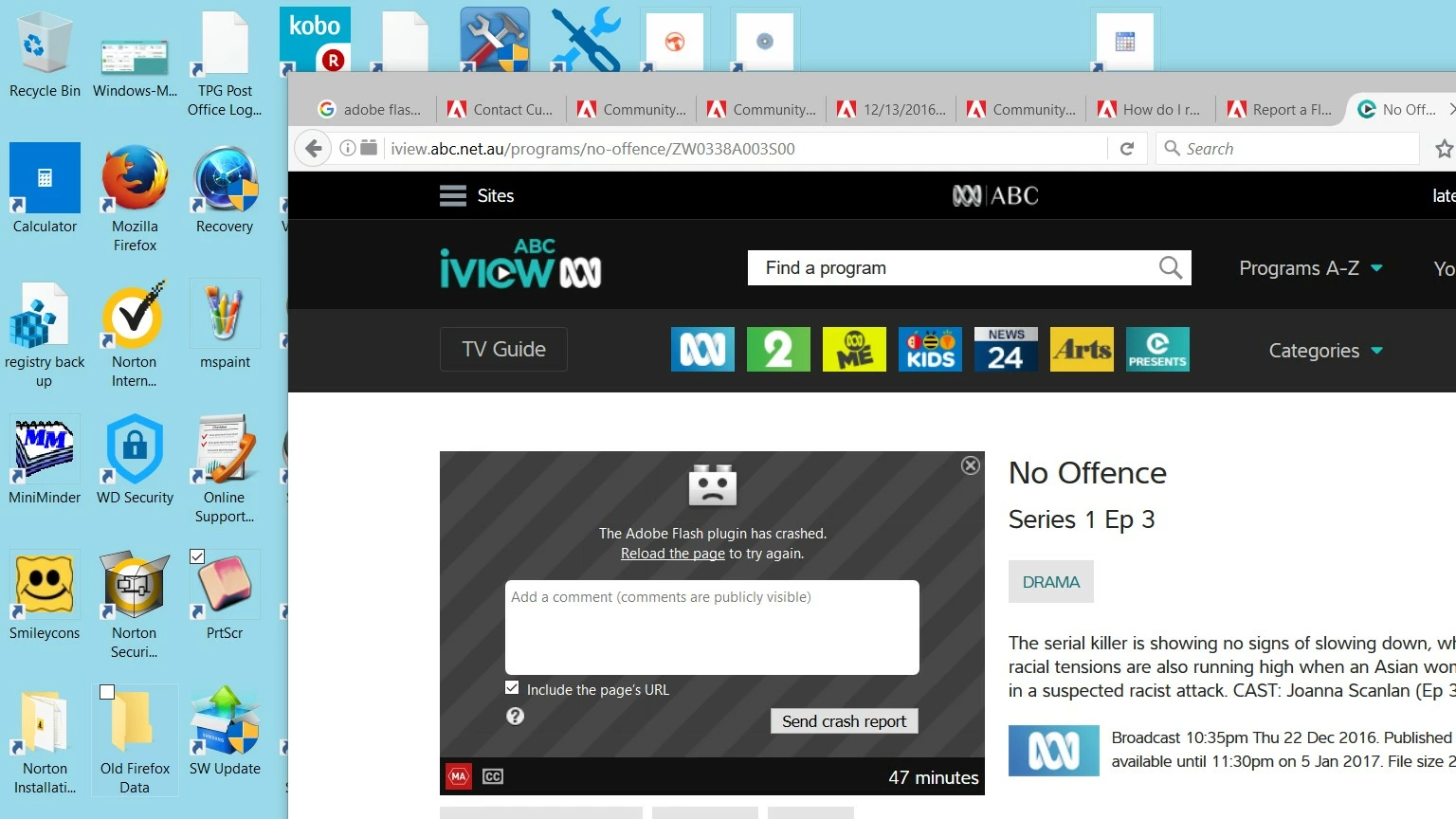
Whenever Adobe Flash player is needed, it crashes. I use Windows 10. Firefox 50.1.0 and Flash Player 17; the screenshot explains it I suppose. I have sent numerous crash reports, downloaded the latest Flash Player and Firefox, to no avail.
This topic has been closed for replies.

1 reply

jeromiec83223024
Inspiring
January 12, 2017

The most likely cause is problematic graphics drivers.  If you disable hardware acceleration and the problem goes away, then find the latest drivers for your graphics hardware, and re-enable hardware acceleration for optimal performance.  If the problem comes back, you'll need to disable hardware acceleration again, and wait for a future driver update.

Instructions on how to do this are in the video troubleshooting guide, below:

https://helpx.adobe.com/flash-player/kb/video-playback-issues.html

If disabling hardware acceleration doesn't help, the Firefox crash report should tell me what's going on.

I *would* highly recommend that you upgrade to 64-bit Firefox.  (You get 32-bit Firefox by default.)  You'll get a much better experience from Flash and Firefox in terms of stability, performance and security.  Just choose the English download in the 64-bit Windows column.

https://www.mozilla.org/en-US/firefox/all/

Moving to 64-bit Firefox will solve the vast majority of common Flash/Firefox crashes.

If the problem still persists at that point, links to a couple crash reports should tell us what's going on.

In firefox, go to: about:crashes

Click the first couple links to submit them (you don't have to wait for the report to display), then right-click on the submitted links, choose Copy Link Location, and paste them in a reply here.  I'd be happy to take a look.


Thanks!

carryVEAuthor
Participant
January 13, 2017

Thanks heaps Jeromie, I’ll give it a shot for sure.

Cheers, Carry