Flash player doesn't fit on webpage
On a Windows 7 32bit computer
Default browser is Firefox 40.0.3
Also trying IE 11.0.9600.18015 and Chrome 45.0.2454.85
Flash 18.0.0.232
I'm trying to view videos on a vendor's webpage. When I go to the page with the video embedded, the video is too big for the webpage- so only the upper left corner of the video and the toolbar are visible. This is problematic, as not only am I not able to view the whole frame of the video, but I can't access the features of the toolbar (mainly switching to full screen mode, which would probably fix this.)
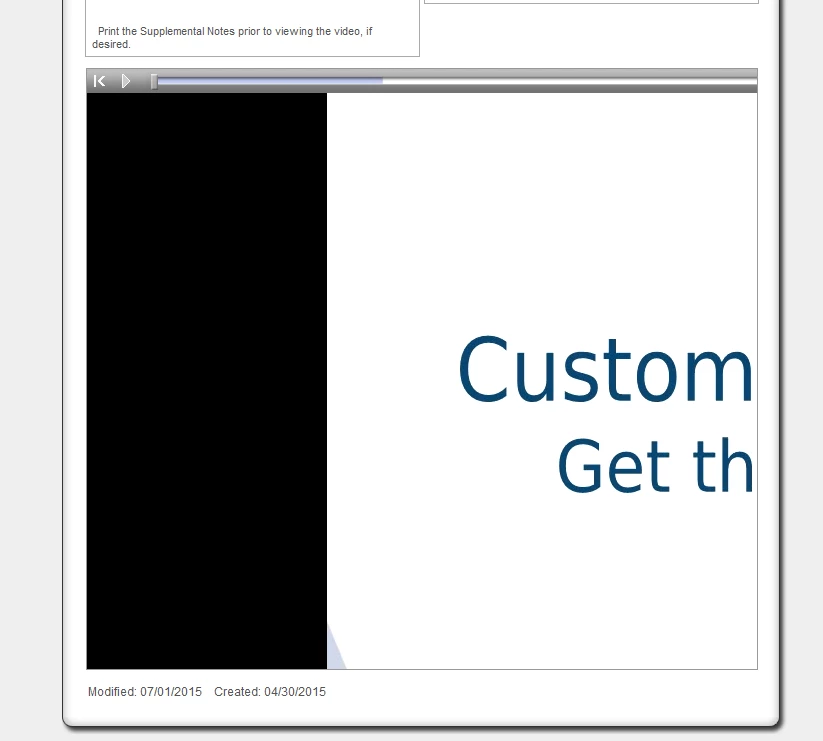
I tried using IE, Chrome and Firefox on my computer, and they all behaved the same. I thought this was a problem with the vendor's site, but I tried this on a virtual server and it displayed correctly. I also tried:
- updating all 3 of my browsers
- uninstalling & reinstalling browsers
- uninstalling & reinstalling flash
- updating video card drivers
- updating monitor drivers
- deleting browsing data by going to control panel --> flash player --> advanced and clicking "delete all"
- deleted cache at %appdata%\adobe and %appdata%\macromedia
- diabled hardware acceleration
- increased storage limit for web page to 10 mb
The only thing I've found that works is to open the page's html code, find the URL of the video, and paste that into the browser's address bar. This gives me a full screen video, but the toolbar doesn't show up, so I can't fast forward or rewind.
I'm out of ideas. Any suggestions?
 AdChoices